
Life, the Universe, and Restaurants Commercials Guide
Life, the Universe, and Restaurants commercials boost dish income and shape your menu. Learn how to use TVs, posters, and robots to earn more during shifts.
Jump to
How Commercials Fit Into Your Restaurant
Life, the Universe, and Restaurants commercials can turn a simple salad into the dish that helps cover your next rent payment. Their value comes from connecting higher prices and customer demand to a kitchen that can keep up. Use Life, the Universe, and Restaurants commercials alongside a focused menu and efficient robots to make each service count.
Your customers call themselves gods, but they still leave you with familiar restaurant problems: impatient diners, dirty plates, limited ingredients, and money that needs collecting. Advertising adds another decision to that rush. Which dishes should earn more, and which orders can your kitchen handle?
The answer starts with understanding how the advertising tools fit together. Ads provide effects, TVs let you play them, and Posters make particular dishes more likely to be ordered. Your restaurant’s growing Star Rating unlocks additional ads and management options as you work toward five stars.
| Tool or system | What it does | What to check before investing |
|---|---|---|
| Ads and commercials | Provide effects that can increase dish income or change your business strategy | Which dishes or actions the effect covers |
| TVs | Play ads and help steer customers toward a selected menu | Whether your kitchen can support that menu |
| Posters | Make customers more likely to order particular dishes | Ingredient supply and preparation capacity |
| Flyers | Bring in more customers | Seating, plates, and serving capacity |
| Robots | Automate tasks such as cooking and transporting Coins | Routes, shared equipment, and output space |
Keep the distinction between demand and price clear. Making a dish more profitable helps when you sell it. Encouraging customers to order that dish gives your kitchen more of that specific work. Plan both around the same production setup.
Choose Commercial Effects Around Your Actual Menu
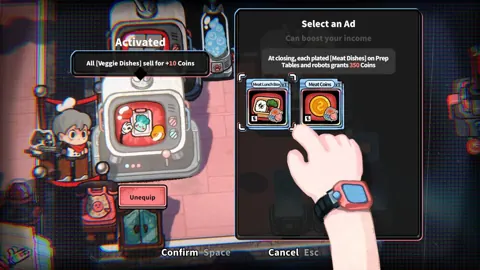
Life, the Universe, and Restaurants commercials include narrow dish bonuses, broader category bonuses, and effects that change kitchen work. Read the effect before buying or equipping an ad. A large percentage bonus on one recipe serves a different purpose from a flat increase across several recipes.
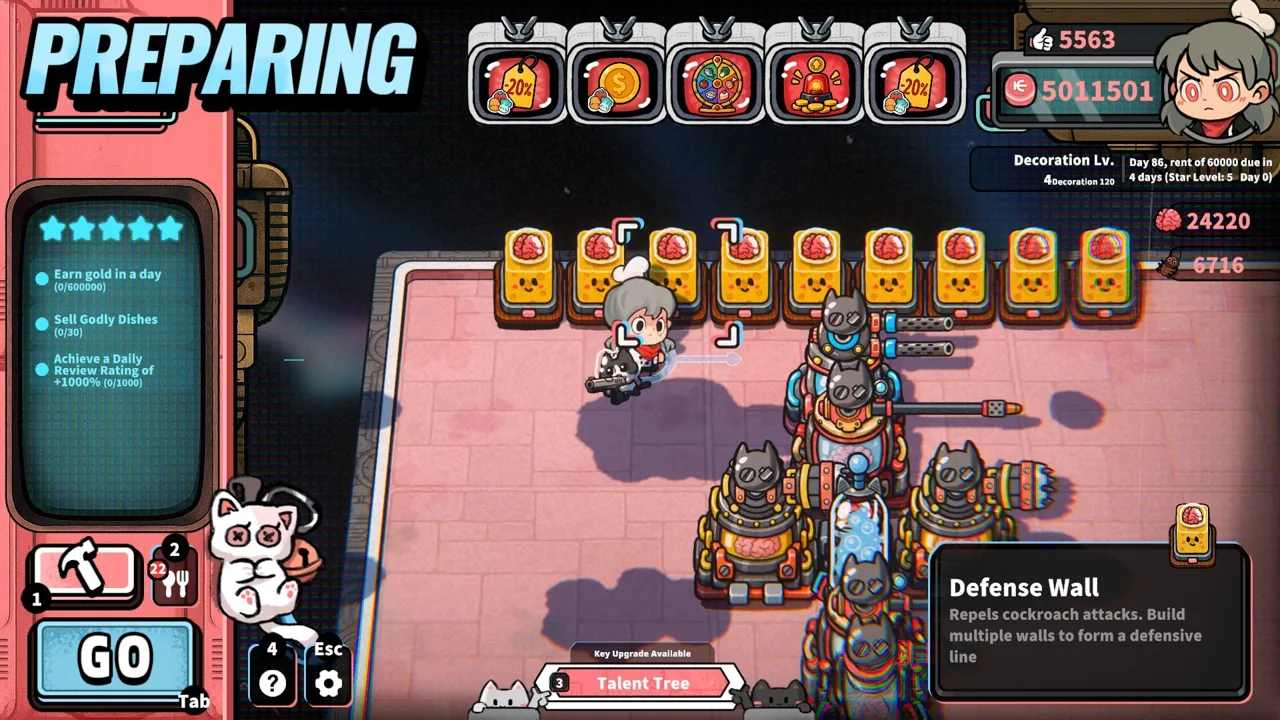 Image: Steam / GARRY
The demo includes the following effects:
| Demo commercial effect | What it changes | Menu consideration |
|---|---|---|
| Leafy salad sells for 80% more | Increases the selling price of leafy salad | Keep leafy ingredients and salad preparation available |
| Potato salad sells for 80% more | Increases the selling price of potato salad | Support potato orders with enough preparation capacity |
| All dishes sell for one additional Coin | Adds a flat amount to each dish sold | Compare it against bonuses for your featured recipes |
| All Veggie Dishes sell for 10 additional Coins | Adds a flat amount to qualifying vegetable dishes | Coordinate it with your vegetable menu |
| Cooking has a 50% chance to complete all steps instantly | Changes preparation rather than directly adding a price bonus | Evaluate cooking speed alongside serving and collection |
These examples belong to the demo. Read the effect text in your current game before committing resources.
A percentage increase and a flat increase reward different menus. The percentage bonus scales with the dish’s selling price; the flat bonus adds its stated amount to qualifying sales. Compare the advertised effect with the prices and recipes you currently use.
For an early kitchen serving leafy salad and potato salad, a leafy salad commercial gives you a reason to focus attention on leafy orders. However, potato orders still require service. Keep both preparation routes accessible rather than rearranging the entire restaurant around the advertised dish.
When tomato salad joins the menu, a vegetable category bonus can cover a wider selection of your existing dishes. Check the ad’s category wording before assuming a newly unlocked recipe qualifies.
Choose Life, the Universe, and Restaurants commercials around what you can reliably prepare. An impressive bonus attached to an unsupported recipe gives you another demand problem to solve.
Set Up TVs, Posters, and a Focused Service Plan
A TV gives your purchased ads somewhere to run. In the demo, the setup is straightforward: acquire the TV, place it, and select an available ad for it. Posters then give you another way to influence the dishes customers request.
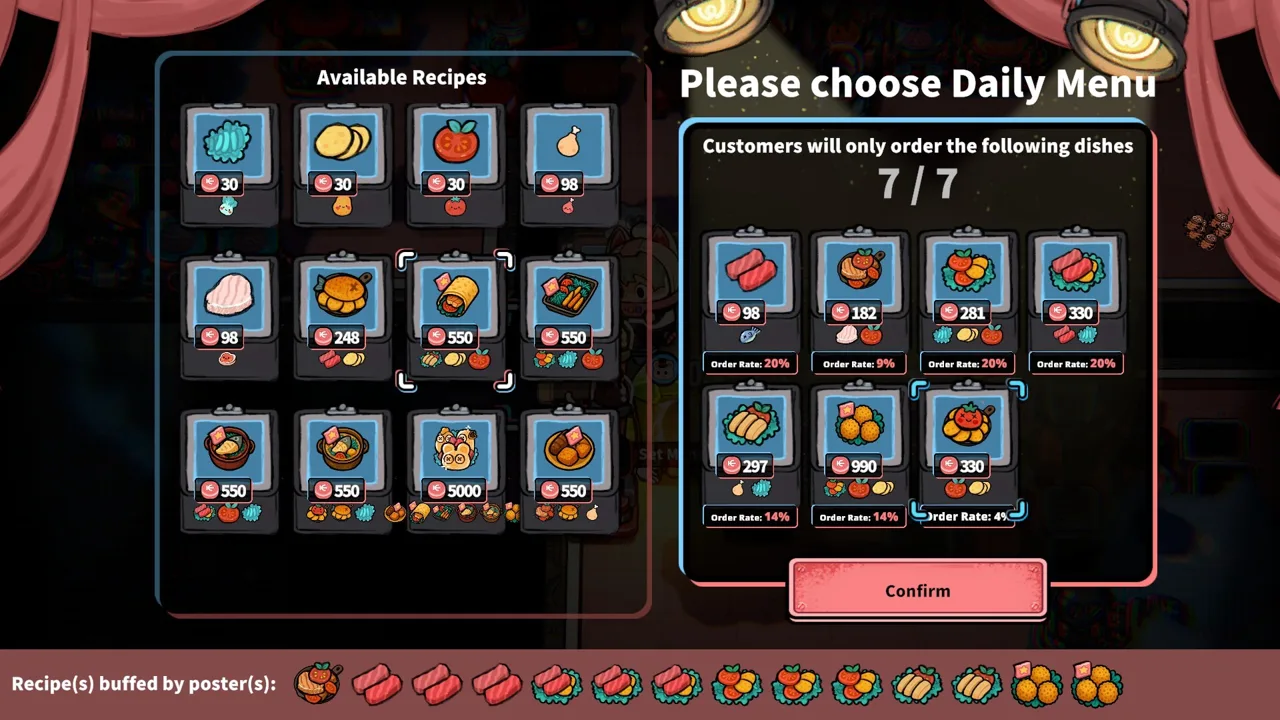 Image: Steam / GARRY
Use the following sequence to keep the advertising decision connected to the rest of your restaurant:
| Step | Action | Purpose |
|---|---|---|
| Review your recipes | Identify dishes your current equipment can produce | Keep promotions aligned with available meals |
| Read the ad effect | Check its target dish, category, or cooking benefit | Understand what your purchase changes |
| Place your TV | Install the structure in your restaurant | Prepare to play an available commercial |
| Select the ad | Choose the commercial through the TV | Apply the intended advertising effect |
| Coordinate Posters | Favor dishes your kitchen is equipped to handle | Align customer demand with production |
| Inspect the service | Watch ingredients, plates, finished dishes, and Coins | Find the constraint limiting your returns |
Start with a featured dish whose preparation route is already manageable. Place its ingredient container near the required workstation, keep plates within reach, and provide somewhere to put completed meals.
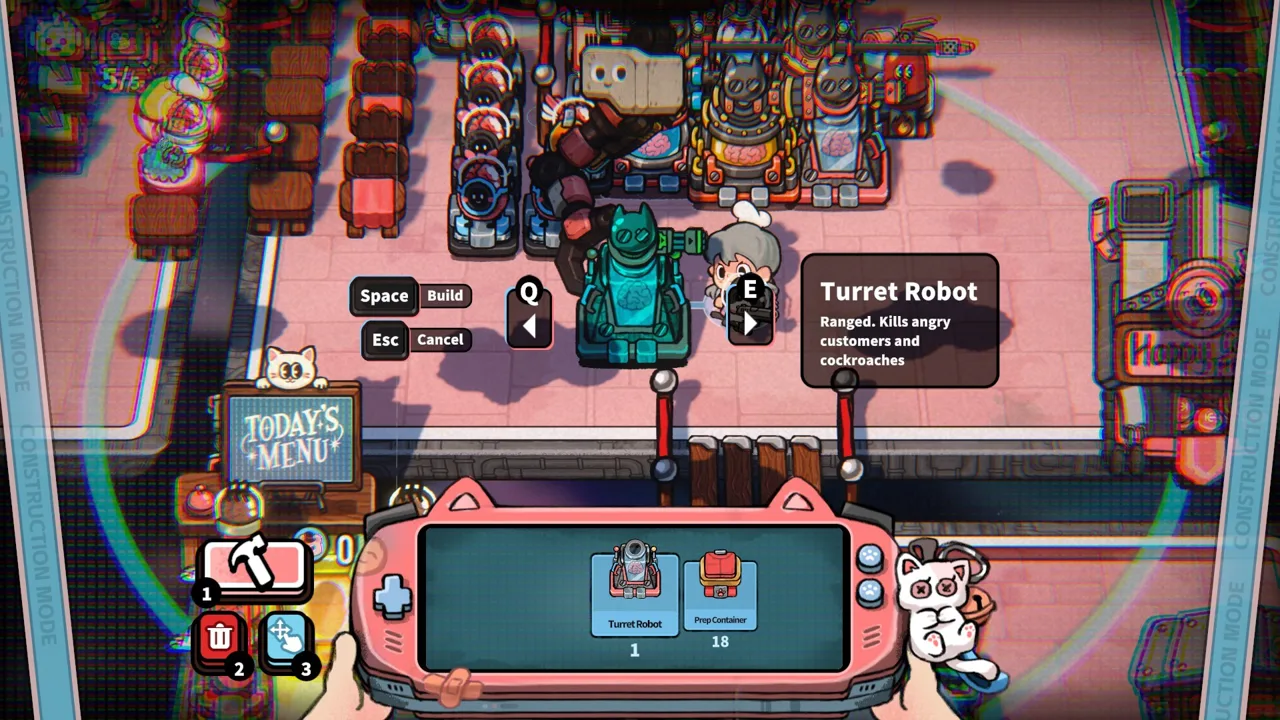
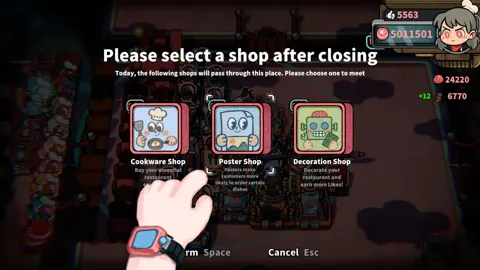
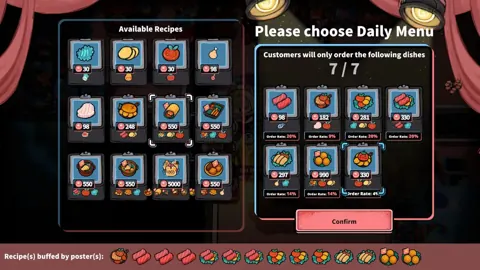
Build Posters for that dish when you want more customers to request it. The connection is practical: the commercial improves the value of a qualifying sale, while the Poster makes the relevant order more likely.
Keep your other recipes serviceable. Customers still place orders that require different ingredients and equipment, and a focused promotion does not remove those responsibilities.
Before using Flyers, check whether the current rush leaves you waiting for plates or scrambling to collect money. More customers increase the workload across the restaurant, including orders outside your specialty.
Reserve Coins for the approaching rent payment before buying additional advertising equipment. Ads are part of the business, but so are the cookware, seating, and collection facilities that let you finish a profitable shift.
Life, the Universe, and Restaurants commercials reward a coordinated setup. Match the promotion to your menu, then match the kitchen to the orders you are encouraging.
Build Automation That Can Support Your Advertising
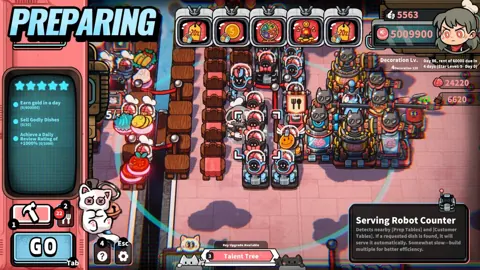
Cooking Robots learn by recording your routine and repeating it. That makes automation closely connected to your advertising plan: the dish you promote needs a production route that can keep supplying it.
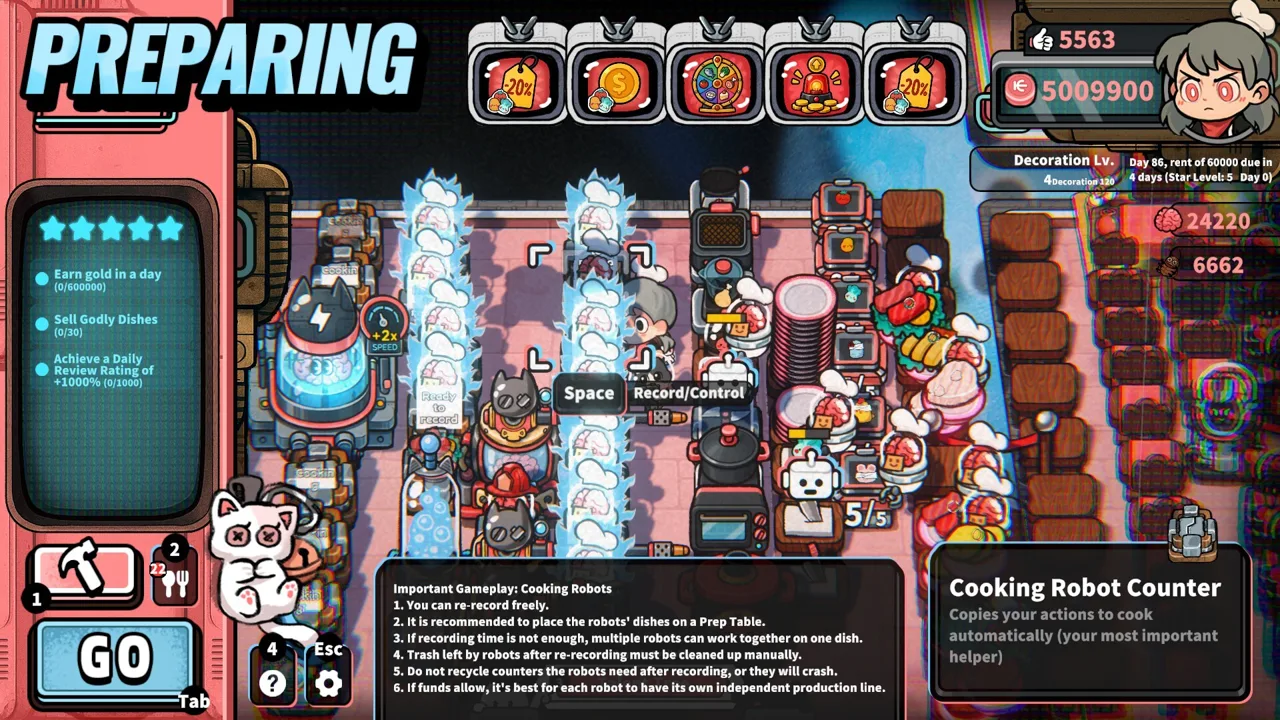 Image: Steam / GARRY
Record the preparation sequence deliberately. Include the ingredient pickup, processing steps, plating, and delivery to the intended output location. Then watch the robot run through the routine before relying on it during service.
Keep the recorded route short and accessible. Robots still interact with the physical kitchen, and multiple routines can compete for the same equipment.
| Production problem | How it affects service | Adjustment to make |
|---|---|---|
| Robots share a busy appliance | One routine waits while another uses the station | Reorganize the workload around the shared machine |
| Finished dishes fill the output area | Cooking Robots wait for an open destination | Serve stored meals and provide usable output space |
| Plate supply falls behind | Prepared ingredients wait for plating | Improve plate access or washing capacity |
| Ingredients run out | Orders remain unfinished despite the commercial | Balance promotions against the available supply |
| Coins accumulate beyond collection coverage | Sales leave money on the floor | Reposition collection stations and maintain clear routes |
Avoid directing all your automation toward a recipe simply because it is more complicated. Assign robot work around the orders your restaurant is trying to generate.
If you are promoting leafy salad while robots prepare sashimi, you are supporting two different parts of the menu. Decide which work you want automated, then leave yourself an efficient route for the remaining meals.
For complex recipes, arrange multiple Cooking Robots to handle successive preparation tasks. The game supports building production lines as higher-tier dishes introduce more steps.
Keep ingredient containers, processing equipment, plates, and output tables connected by usable paths. Check the entire chain whenever you rearrange equipment.
Brain resources also matter. Brains support robots and talent upgrades, including improvements to robot movement speed. Spend them with your current production or collection constraint in mind.
Life, the Universe, and Restaurants commercials become more useful when automation produces the meals you are actively selling. Build the routine around that demand instead of letting finished dishes pile up while customers wait for something else.
Protect Your Income Before Expanding the Campaign
A higher dish price only solves part of the money problem. Customers drop Coins after being served, and those Coins must reach the vault. In the demo, money left on the floor when service ends is forfeited.
Check collection coverage as carefully as cooking capacity. Transport Robot Stations collect Coins within their displayed area and deliver them to the vault. Place stations where customer payments fall, with unobstructed routes for the robots.
Keep access to the vault open for your own collection runs. A crowded layout can turn depositing money into another time-consuming task.
Use these checks before expanding your promotion:
- Inspect ingredient supply. Keep the featured recipe available through as much of service as possible.
- Watch plate availability. Improve washing or cabinet capacity when plating delays orders.
- Clear completed meals. Prevent robot output areas from filling while customers wait.
- Check Coin pickup coverage. Keep payments within reach of collection routes.
- Protect the kitchen. Leave access to deal with space roaches and unruly customers.
- Review Star Upgrade objectives. Complete the required business tasks to unlock further restaurant options.
The restaurant’s stranger systems also compete for your attention. Angry customers provide valuable Brains, while space roaches threaten your operation. Keep those activities from blocking the routes used to cook, serve, and collect money.
After each shift, identify where work stalled. If ingredients ran out, reconsider which dishes you encourage. If prepared food sat unused, revise the production mix. If Coins remained on the ground, improve collection before chasing higher prices.
Scale Life, the Universe, and Restaurants commercials alongside those improvements. Expand seating, kitchen capacity, and advertising together so the next rush has somewhere to go and something ready to eat.
FAQ
What do Life, the Universe, and Restaurants commercials do?
Commercials provide effects that can increase income from particular dishes or categories, and some affect cooking. TVs play ads, while Posters make specific dishes more likely to be ordered.
How do you play an ad on a TV?
In the demo, purchase and place a TV, then select an available ad for it. Read the effect text and choose one that fits the recipes your kitchen can prepare.
Should you promote one dish or several dishes?
Match the promotion to your equipment and ingredient supply. Use a dish-specific bonus for a supported specialty, or choose a category effect that covers several meals you already serve.
Why are Coins still piling up after sales increase?
Cooking and Coin collection are separate jobs. Position Transport Robot Stations around payment areas, keep routes to the vault clear, and collect remaining money before service ends.
Continue with
 Life, the Universe, and Restaurants Customer Attacks: GuideLife, the Universe, and Restaurants customer attacks turn angry gods into Brains. Learn patience triggers, defense options, and smarter robot strategies.
More in Restaurant
Life, the Universe, and Restaurants Coin Collection Guide
Master Life, the Universe, and Restaurants coin collection with vault routes, transport robots, ad strategies, and practical tips to grow daily income.
Life, the Universe, and Restaurants Customer Patience: Tips
Master Life, the Universe, and Restaurants customer patience: serve faster, manage trash bins, harvest brains, and build robots to keep service moving.
Life, the Universe, and Restaurants Dish Skill Trees Guide
Explore Life, the Universe, and Restaurants dish skill trees, boost dish value, and plan menus, ads, and robot workflows for a more profitable kitchen.
Life, the Universe, and Restaurants Earning Likes Guide
Life, the Universe, and Restaurants earning likes guide: learn how dining rewards work, manage customer patience, and work toward your 30-like objective.
Join the community
Official channels for news, updates and player help: