Life, the Universe, and Restaurants Automation Guide
Master Life, the Universe, and Restaurants automation with robot routines, smarter kitchen layouts, coin collection, and menu strategies. Build your crew.
Jump to
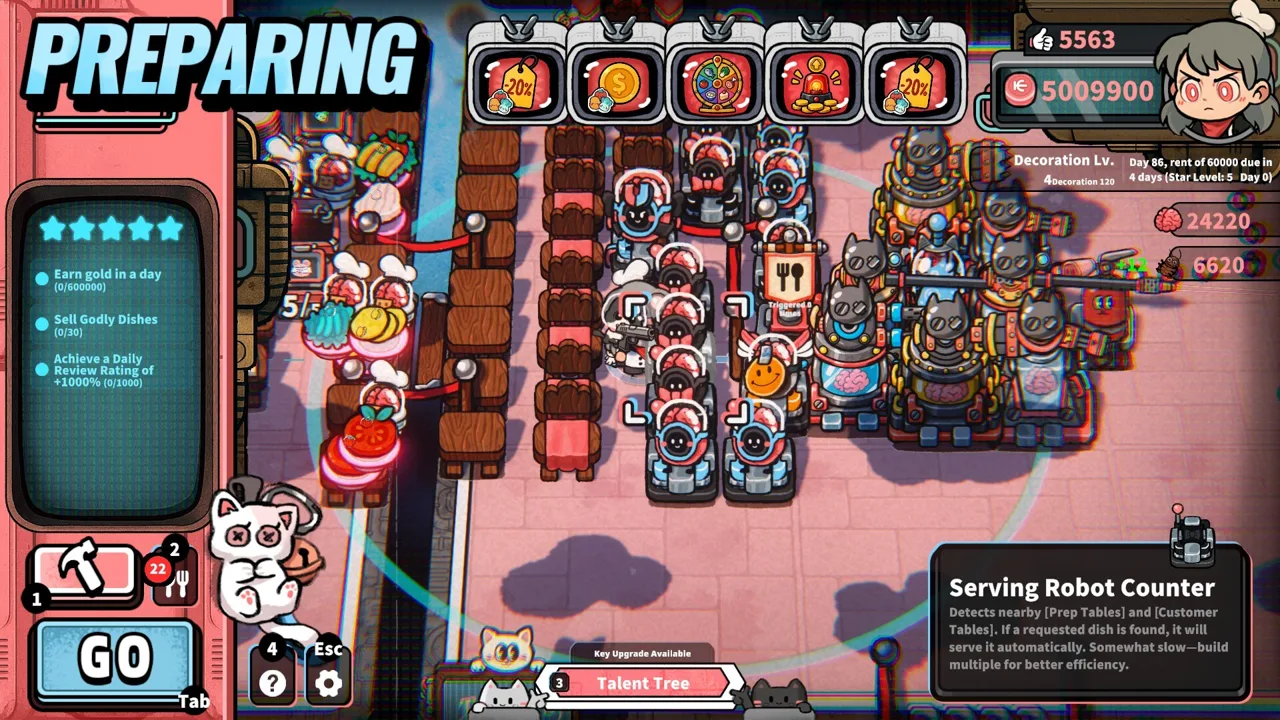
How Restaurant Automation Works
Life, the Universe, and Restaurants automation starts with a familiar disaster: orders pile up while you're still chopping salad. Robots can handle cooking, serving, cleaning, and transporting Coins, giving you room to manage a growing restaurant. The trick to Life, the Universe, and Restaurants automation is teaching repeatable routines and expanding only as fast as your kitchen can handle.
You begin by doing the restaurant work yourself: gathering ingredients, processing them, plating meals, and delivering orders to demanding customers who call themselves gods. Automation gradually shifts those responsibilities to robot staff.
Cooking robots learn through recorded routines. Perform the cooking actions, and your robots repeat that routine. More complicated recipes introduce additional preparation steps, with multiple Cooking Robots working together in sequence.
| Restaurant task | Automation capability |
|---|---|
| Taking orders | Robots can handle customer orders |
| Preparing food | Cooking Robots repeat recorded cooking routines |
| Serving meals | Robots can deliver dishes |
| Transporting Coins | Robots can move restaurant earnings |
| Cleaning | Robots can handle cleanup |
Your larger objective is to complete business goals and advance from 1 Star to 5 Stars. Higher Star Ratings unlock more recipes, robots, structures, plots, ads, talents, and management systems.
That makes Life, the Universe, and Restaurants automation an ongoing design challenge. Each expansion gives you more tools, but increasingly complicated dishes and customer demands also give those tools more work.
Watch an entire service cycle before deciding what to automate next. Identify the task that repeatedly pulls you away from unfinished orders, then direct your next investment toward reducing that interruption.
What to Automate Before Adding More Tables
In the demo, Coin collection quickly competes with cooking for your attention. Customers throw Coins onto the floor after receiving food. Walking near those Coins collects them onto your back, but you must transport them to the vault to actually obtain the money.
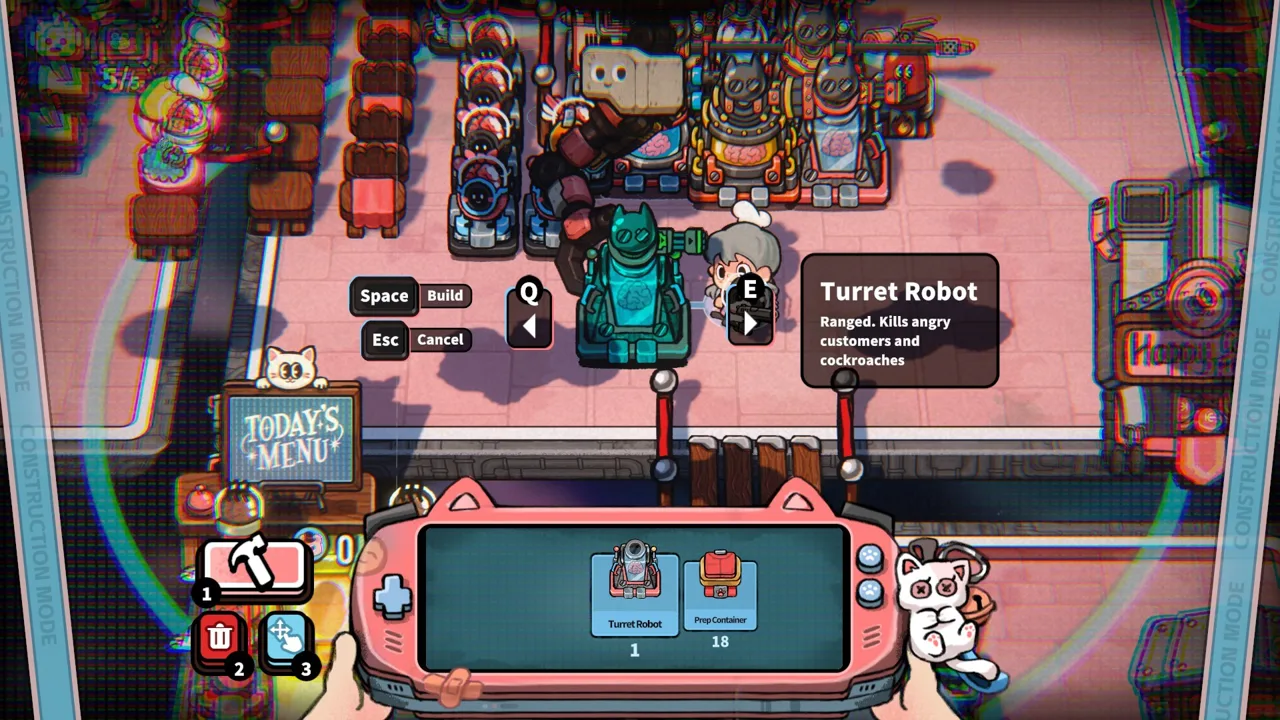 Image: Steam / GARRY
Loose Coins also have a timer in the demo. Leave collection too long, and earnings disappear.
Prioritize transport help when vault trips keep interrupting service. A transport robot takes over collection work, letting you spend more time preparing and delivering meals. Keep watching the floor, though: the demo's transport robot can fall behind when Coins accumulate faster than it collects them.
Life, the Universe, and Restaurants automation should address the work your current restaurant generates before you add more demand. Extra tables create more serving opportunities, but they also increase pressure on food preparation, delivery, cleanup, and collection.
Protect Your Upgrade Budget
Resources have different jobs. Avoid treating every reward as interchangeable spending money.
| Resource | Uses shown in the game |
|---|---|
| Coins | Purchasing equipment, expanding the restaurant, and paying rent |
| Brains | Building robot staff and upgrading talents |
| Likes | Meeting early demo progression objectives |
The early demo includes a 100-Coin rent payment. Keep the upcoming payment in view before buying another structure or spending Coins on talents.
Read your current Star Upgrade objectives before shopping. Early demo goals include collecting Coins, earning Likes, placing three Trash Bins around a Customer Table, building transport robots, and playing an ad on a large TV.
Those requirements give purchases a purpose beyond immediate convenience. Buy toward an outstanding objective while preserving enough operating money to reach the next payment.
Use tutorials that award resources as you progress. In the demo, tutorial rewards include Likes and Brains, which can help fund early development.
How to Record Cooking Routines
The cooking system rewards a routine you can perform cleanly and repeat. Before recording, manually prepare the intended dish and learn its full sequence.
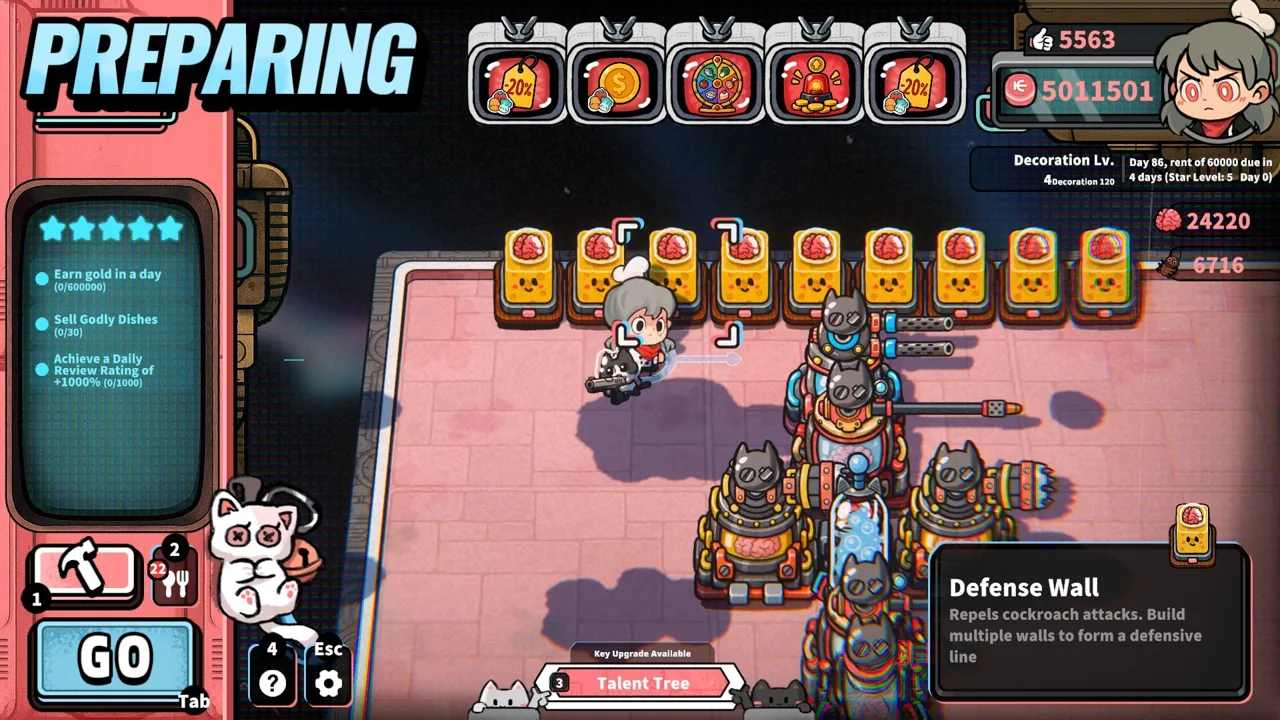 Image: Steam / GARRY
Life, the Universe, and Restaurants automation becomes easier to organize when you think in individual tasks: fetch the ingredient, process it, plate the result, and move the finished food toward service.
Start with an early recipe such as Leafy Salad. Its demo preparation involves taking a leafy ingredient, slicing it at the cutting counter, and plating it. Use that straightforward workflow to practice organizing stations before tackling more elaborate meals.
| Workflow stage | Manual action | Planning focus |
|---|---|---|
| Ingredient collection | Gather the required ingredient | Keep its container close to the processing station |
| Preparation | Perform the recipe's processing steps | Practice the sequence before recording |
| Plating | Place the prepared food on a plate | Keep plates accessible |
| Service | Deliver the dish to the customer | Preserve a clear route to tables |
Keep the Demonstration Focused
Plan your route before starting a recording. Put the needed stations within convenient reach, then perform the intended cooking sequence without unnecessary detours.
After recording, watch the robot repeat its routine. Check the finished dish and follow the work through to its next stage. Record again if the demonstrated actions need correction.
Separate recording practice from restaurant expansion. Learn whether the routine works with your existing layout before adding tables or changing the menu. Otherwise, a larger workload makes it harder to see which part needs attention.
Divide Complex Recipes Between Robots
Higher-tier recipes have more preparation steps, and multiple Cooking Robots can work together in sequence.
Break a complicated dish into its actual preparation stages. Assign work around those stages rather than asking one robot to reproduce a sprawling trip across the kitchen.
Arrange successive stations near one another and watch the handoff between stages. If prepared ingredients accumulate while the following step struggles to keep up, focus your next adjustment there.
Do the same check at the end of production. Finished meals waiting for delivery point you toward serving capacity; a shortage of prepared meals points you back toward cooking. Follow the food through the restaurant instead of judging the setup by the number of robots you own.
Build a Kitchen That Keeps Work Moving
Life, the Universe, and Restaurants automation depends on layout as well as staffing. The game lets you rearrange your restaurant, acquire additional plots, and expand production facilities as you progress.
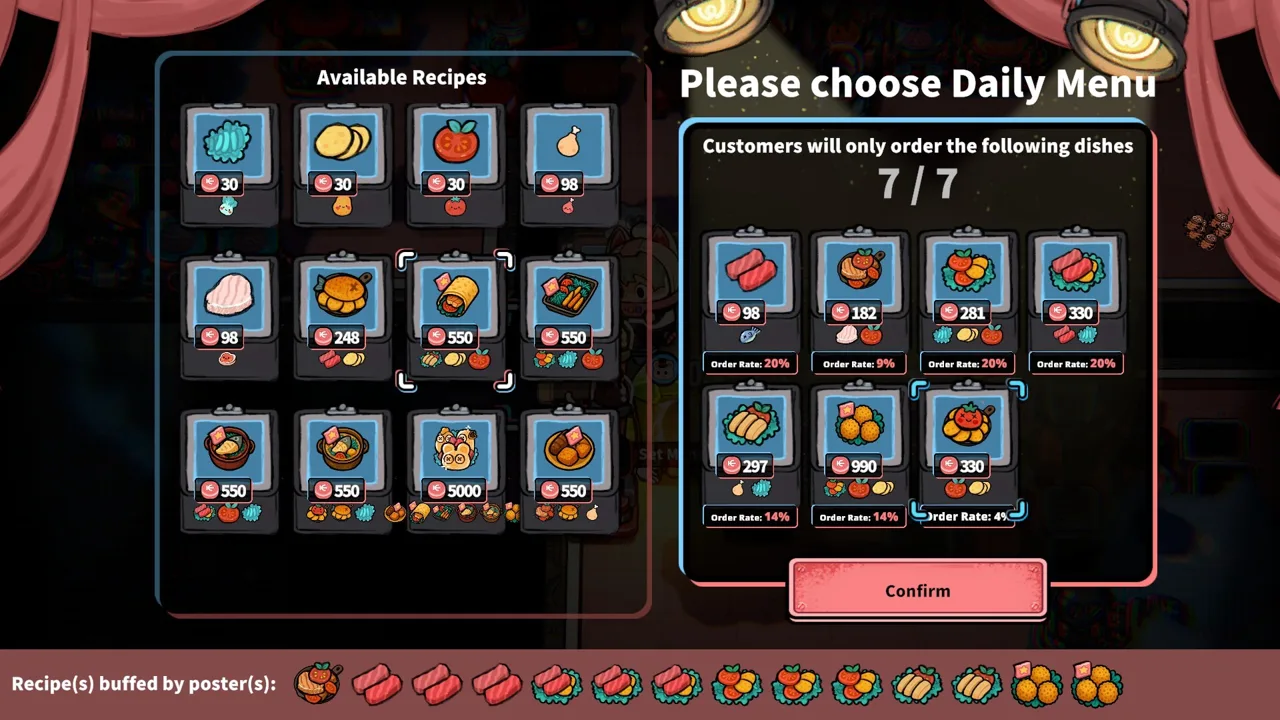 Image: Steam / GARRY
Use the demo's preparation phase to organize the kitchen before service begins. Move ingredient containers, cutting stations, and plates into a compact working area. Keep the route between food preparation and Customer Tables clear.
Place each ingredient near the station that processes it. Position plates where you finish preparation. Leave enough room around the working area to reach the equipment yourself when you need to take over.
The vault deserves attention, too. In the demo, relocating it closer to the main activity area reduces the distance involved in manual Coin delivery. Plan around both the food route and the money route.
Prepare for Your Current Workload
Use the preparation phase to get plates and suitable dishes ready before customers arrive. The early demo allows preparation before service, and having a Leafy Salad ready can help you respond quickly when that order comes in.
Prepare around the dishes you currently serve and promote. Keep space available for the other recipes customers can request.
Avoid adding customer-attracting flyers while you are already struggling with the existing crowd. In the demo, requesting more customers speeds up arrivals. Increase that pressure after your kitchen, serving, and collection tasks are keeping pace.
Recheck the Layout After Expansion
New plots give you room for additional equipment and staff. Use that space to shorten awkward routes and organize production around the recipes you actually make.
After adding cookware or another production stage, watch a full dish move from ingredient container to customer. Look for repeated trips between distant stations and rearrange those stations together.
Keep checking cleanup and Coin transport alongside cooking. Expanding one part of the restaurant also changes the amount of work reaching the others.
Match Your Menu, Upgrades, and Brain Supply
Life, the Universe, and Restaurants automation connects directly to menu strategy. Posters can make customers more likely to order particular dishes, while TVs help steer demand toward a selected menu. Ads can also improve profits from specific dishes.
Promote food your kitchen can produce consistently. Advertising a complicated meal puts more attention on that recipe, so organize its production before encouraging additional orders.
| Management tool | Function |
|---|---|
| Posters | Influence customers toward particular dishes |
| TVs and ads | Shape menu demand and increase dish profits |
| Dish skill trees | Improve the value of individual dishes |
| Talents | Develop abilities and automation-related upgrades |
| Defense Facilities | Protect the restaurant from unruly customers |
The early demo includes dish-price upgrades, faster washing, automatic plate cleaning, and transport robot speed improvements. Choose upgrades around the interruption you are trying to remove.
If washing keeps stopping preparation, work toward the cleaning improvements. If Coins regularly pile up, examine transport speed and staffing. If your production is running smoothly, consider improving the value of a dish you already serve frequently.
Brains Fund More Than Cooking
Brains support robot development and talent upgrades. The game's darker management loop lets you harvest them from enraged customers after defending your restaurant.
Trash Bins and lighting can drain customer patience. Once patience runs out, customers become enraged and can threaten your facilities. Guards, Turret Robots, and other Defense Facilities provide protection as your restaurant develops.
Prepare your response before deliberately provoking customers. Keep endangered equipment in mind and watch the situation while continuing normal service. In the demo, enraged customers can damage furniture if they are left unchecked.
Balance your spending between production, talents, and defense. A new robot adds useful capacity, but the restaurant still needs protection and enough Coins for its obligations.
Build your next service around a specific improvement: fewer vault trips, cleaner plate handling, a reliable cooking routine, or a promoted dish your kitchen can supply. Make that change, watch its effect, and use the remaining bottleneck to guide your next purchase.
FAQ
How does Life, the Universe, and Restaurants automation work?
Robots perform restaurant jobs, including taking orders, cooking, serving, transporting Coins, and cleaning. Cooking Robots repeat routines you record, and multiple Cooking Robots can work in sequence on more complicated recipes.
Should I automate Coin collection before cooking?
Prioritize collection when manual vault trips repeatedly interrupt food preparation. In the demo, transport robots collect Coins, while unattended loose Coins can disappear after a timer. Watch collection speed before increasing customer volume.
How do I get Brains for robots?
Brains can be harvested from enraged customers after you defend your restaurant. They fund robot development and talent upgrades. The demo also awards Brains through tutorials, so use those rewards as you progress.
Can I build a fully automated restaurant?
Yes. Life, the Universe, and Restaurants automation supports a fully automated production line, with robot staff handling kitchen and service tasks. Progress through Star Upgrade objectives to unlock more robots, recipes, structures, and expansion options.
Continue with
 Life, the Universe, and Restaurants Robot Action RecordingMaster Life, the Universe, and Restaurants robot action recording with practical tips for cooking routines, kitchen layouts, and smoother robot teamwork.
More in Automation
Life, the Universe, and Restaurants Robot Brains Guide
Life, the Universe, and Restaurants robot brains power talents and stronger robots. Learn how to harvest Brains and build a smoother automated kitchen.
Life, the Universe, and Restaurants Transport Robot Stations
Life, the Universe, and Restaurants transport robot stations automate coin collection. Learn station placement, cover dining tables, and keep cash moving.
Join the community
Official channels for news, updates and player help: