
Life, the Universe, and Restaurants Coin Collection Guide
Master Life, the Universe, and Restaurants coin collection with vault routes, transport robots, ad strategies, and practical tips to grow daily income.
Jump to
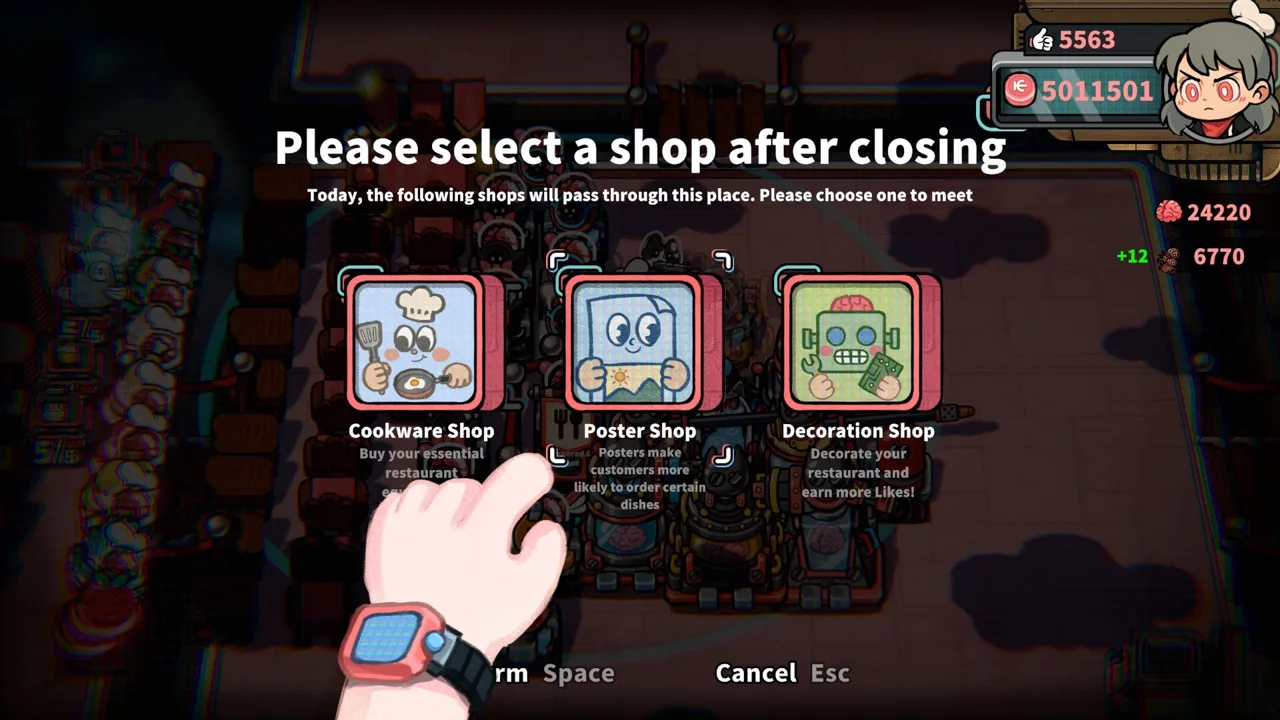
How Coin Pickup and Vault Deposits Work
A dining room covered in gold looks successful until you’re stuck hauling it while orders pile up. Life, the Universe, and Restaurants coin collection matters because serving a meal starts the payment process, and transporting that payment to the vault finishes it. Build your Life, the Universe, and Restaurants coin collection routine around short delivery routes, regular deposits, and robots that keep pace with your kitchen.
Customers drop coins onto the floor after being served. Walk close to those coins and they automatically collect onto your back. You then need to transport them to the vault to obtain the money.
That creates three separate jobs: preparing food, collecting payment, and depositing it. Handle only the cooking and you leave another task growing around your customer tables.
| Stage | What happens | Your next action |
|---|---|---|
| Serve a dish | The customer drops coins onto the floor | Pass near the payment |
| Approach the coins | Coins automatically collect onto your back | Carry them to the vault |
| Transport coins to the vault | You obtain the deposited money | Return to orders or another pickup |
| Deploy transport robots | Robots help transport coins within their range | Check coverage and keep routes accessible |
Complete the Collection Tutorial
The opening Life, the Universe, and Restaurants coin collection tutorial walks you through serving a Leafy Salad, picking up coins, and taking them to the vault. Its collection instruction asks you to move all the coins on the ground into the vault.
Finish that full loop before focusing on restaurant expansion. Watch the coin display after depositing so you can connect the movement of your character with the money you actually own.
During service, collect coins along routes you already travel. After delivering a dish, pass through nearby payments before heading back toward the kitchen. Deposit regularly instead of turning every pickup into a separate trip across the restaurant.
As the service timer runs down, check both the floor and your carried coins. Leave yourself enough time to reach the vault rather than starting a complicated dish with payments still waiting.
Build a Layout That Supports Cooking and Collection
Life, the Universe, and Restaurants coin collection competes with chopping, plating, washing, and taking orders. Arrange the restaurant so these jobs share convenient routes.
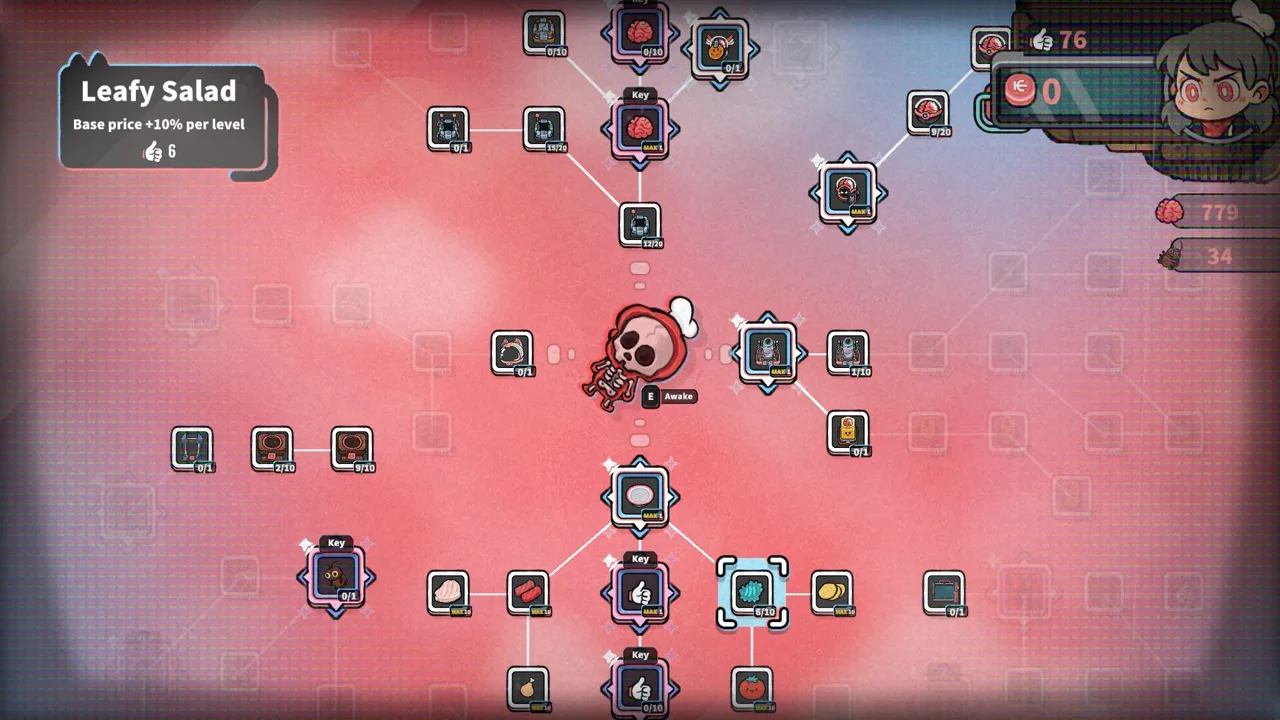 Image: Steam / GARRY
Start with the food preparation sequence. Keep ingredient containers, processing equipment, and plates within comfortable reach. Then connect that kitchen workspace to your customer tables and vault without forcing long detours.
A compact kitchen still needs walking room. Placing everything tightly together can leave furniture blocking the route you intended to use. Before opening, walk between your stations and through the dining area to check access.
Give the Vault a Place in Your Workflow
Treat the vault as a regular destination when arranging tables and equipment. Choose a route that lets you serve, collect nearby coins, deposit, and return to preparation.
Use these checks before starting service:
- Walk from your plating area to each customer table.
- Check the path from the tables to the vault.
- Leave accessible space around transport robot stations.
- Move large TVs out of routes you repeatedly cross.
- Recheck the layout after adding tables or ingredient containers.
Adding customer tables creates more places to serve and collect payment. Expand the dining room alongside your preparation and transport capacity.
For example, if you regularly finish dishes but struggle to clear the coins around existing tables, address collection before adding more seating. If payment is moving smoothly but orders are waiting, focus on food preparation instead.
Trash Bin placement also affects this plan. Nearby Trash Bins reduce customer patience, so keep that mechanic in mind when arranging tables for a shift focused on earning coins. Use deliberate placement when pursuing Brains rather than scattering bins around your busiest service area.
Automate Coin Transport and Keep Robots Moving
Transport robots take over part of the payment workload, giving you more room to manage orders. They help transport coins within range, so their placement matters as much as purchasing them.
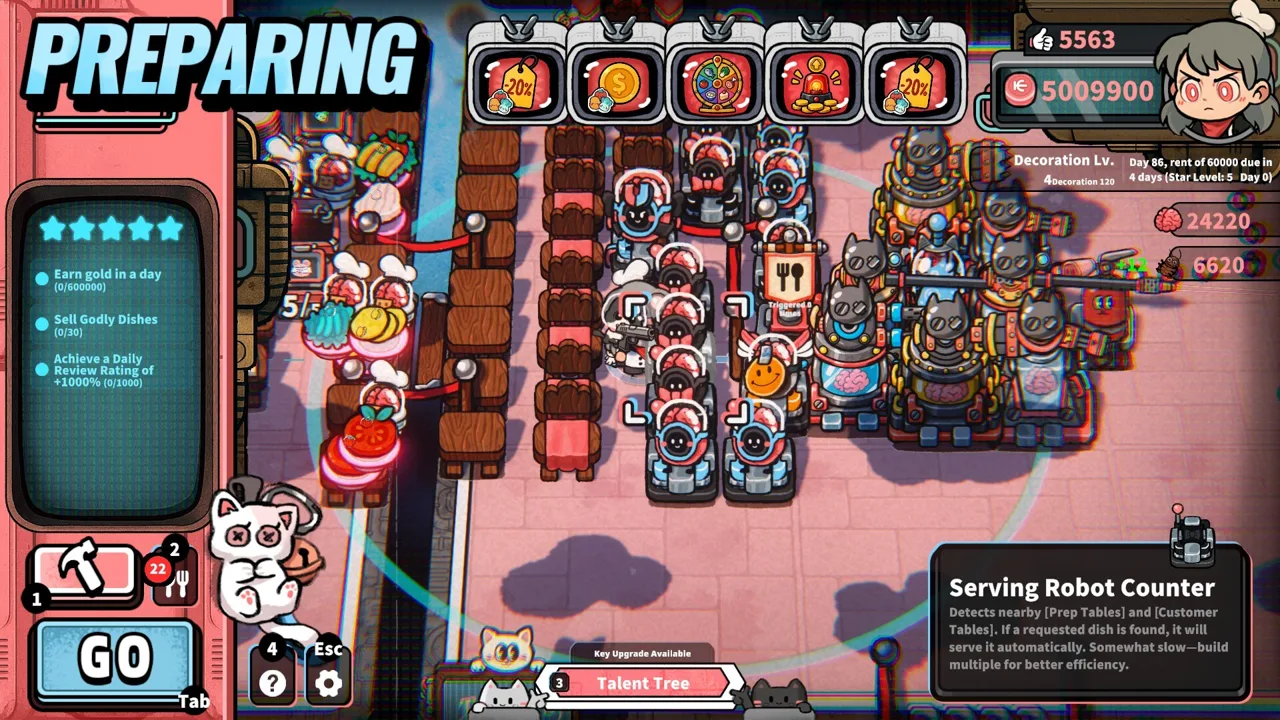 Image: Steam / GARRY
For Life, the Universe, and Restaurants coin collection, inspect where payments accumulate before choosing a station location. Position the robot to cover those areas while preserving access through the dining room.
| Automation element | Supported function | What to check |
|---|---|---|
| Transport robot | Helps transport coins within range | Coverage around customer tables |
| Robot station placement | Determines where the transport helper operates | Walking access around the station |
| Robot movement upgrades | Increase robot movement speed | Whether transport is keeping pace |
| Cooking robots | Repeat recorded cooking procedures | Whether food preparation needs automation |
Check Coverage Before Buying More Robots
Watch the floor during a busy stretch. If coins repeatedly accumulate around a particular table, examine the robot’s range and placement. Adjust the station before spending resources on additional helpers.
Keep helping with deposits while the robot works. Automation lets you share the workload; it still pays to collect coins when your serving route takes you through a pile.
Robots also introduce another resource requirement. Brains are used to purchase and deploy brain-based robots, and they support talent upgrades. Earning more coins alone does not replace that requirement.
Plan purchases around both resources. Check the robot’s displayed requirements before committing to a shift focused entirely on revenue or entirely on collecting Brains.
Use Speed Bonuses With a Clear Purpose
The playtest includes an ad that increases robot movement speed by 100%. Robot movement improvements also appear among the available talents.
Choose a transport speed bonus when movement is holding up collection. Check table coverage first: a faster robot still needs to operate where payments are landing.
As the restaurant grows, cooking automation becomes another way to support income. Cooking robots repeat recorded routines, and multiple robots can work together on increasingly complex recipes. Use that support to maintain food output while transport helpers handle payments.
Increase Dish Income With Ads, Posters, and Talents
Support Life, the Universe, and Restaurants coin collection with regular vault deposits as you increase dish income. Coordinate your income upgrades with the collection system instead of improving either one in isolation.
 Image: Steam / GARRY
TVs play ads, and you need both a TV and an ad to use the system. Each TV can play one ad. Different ads increase income from particular dishes or introduce effects that change how you manage the restaurant.
Posters increase the chance that customers order specific dishes. Pair a dish-focused ad with matching posters to direct more orders toward that bonus.
| Playtest ad example | Effect | Relevant restaurant activity |
|---|---|---|
| General dish bonus | Adds one coin to all dishes | Serving a mixed menu |
| Leafy Salad bonus | Increases Leafy Salad income by 80% | Preparing and serving Leafy Salad |
| Robot movement bonus | Increases robot movement speed by 100% | Running robot helpers |
| Personal serving bonus | Personally served dishes sell for 100% more | Delivering dishes yourself |
These are playtest examples. Select your build using the effects displayed on the ads available in your game.
Match Your Promotion to Your Kitchen
Promote dishes you can prepare consistently. If Leafy Salad is your featured dish, keep its ingredient container, Cutting Counter, and plating area convenient to one another.
Dish talents offer another route to increasing value. Likes are used for talents, including dish price improvements and faster washing. Choose upgrades that address what interrupts your current workflow.
If plate availability keeps slowing service, improve washing. If preparation and collection are already keeping pace, consider raising the value of the dishes you serve frequently.
Avoid increasing customer arrivals without checking capacity. Daily promotion methods can increase customer spawn rate, which gives you more orders to handle as well as more potential payments.
Work Toward the 1,000-Coin Objective
After reaching a two-star restaurant in the playtest, an objective asks you to earn more than 1,000 coins in a day.
Prepare for that target before opening:
- Check that the equipment required for your recipes is built.
- Select ads that support the dishes you can serve reliably.
- Review transport coverage around your customer tables.
- Keep plates and ingredients accessible.
- Check your collection route near the end of service.
Use the daily income objective to review your preparation, serving, and collection routines. New recipes add preparation demands, while additional tables add orders and payment locations. Strengthen the part of the workflow that is falling behind before pushing for another revenue increase.
Protect Your Rent Money and Expand Deliberately
Life, the Universe, and Restaurants coin collection funds equipment, expansion, and recurring rent. Keep the next payment in view when shopping after service.
The playtest agreement uses a five-day rent cycle, with an initial payment of 100 coins. Later rent increases, so use the amount and countdown currently displayed in your game when planning purchases.
Shop spending also deserves attention. The playtest Cookware Shop warns that buying more raises prices. Check the current price rather than budgeting around an earlier purchase.
| Spending area | What it supports | Check before purchasing |
|---|---|---|
| Rent | The recurring property payment | Current amount and due date |
| Cookware | Dish preparation | Equipment required by your menu |
| Customer Tables | Additional dining capacity | Cooking and collection workload |
| Robot staff | Automated restaurant tasks | Coin and Brain requirements |
| TVs and ads | Income bonuses and management effects | Available ads and existing TV space |
Separate Revenue Goals From Brain Goals
The game gives you reasons to let customers become unruly. Once patience runs out, customers can attack restaurant facilities, allowing you to fight them under the game’s self-defense rules and harvest Brains.
Those Brains support more powerful robots and talents. However, deliberately provoking customers also adds combat to a shift already filled with orders and payments.
Choose your immediate goal before opening. When rent is approaching, concentrate on serving dishes and depositing coins. When a robot purchase needs Brains, plan around that resource requirement and keep the rest of the restaurant manageable.
Defense helpers, including Guards and Turret Robots, become part of that broader system. Account for the resources you need to acquire them rather than spending every available coin on seating.
Review the Shift Before Expanding
After closing, identify what repeatedly pulled you away from productive work. Were you carrying coins across the room? Waiting for plates? Struggling with a newly unlocked recipe?
Make the next purchase answer that specific problem.
Restaurant progression runs from one star to five stars through business objectives. Higher ratings unlock additional recipes, robots, structures, ads, talents, and expansion options. Revisit your layout as those systems arrive; a route designed for a small salad kitchen needs attention when more equipment and tables fill the room.
FAQ
How does Life, the Universe, and Restaurants coin collection work?
Customers drop coins after being served. Approach the coins to collect them automatically onto your back, then transport them to the vault to obtain the money.
Can robots collect and transport coins?
Yes. Transport robots help move coins within their range. Position their stations around payment areas, preserve walking access, and check whether movement upgrades would help them keep pace.
How do you increase daily coin income?
Use ads to improve dish income, posters to encourage specific orders, and talents to increase dish value or improve parts of your workflow. Support those bonuses with reliable preparation and regular vault deposits.
What should you prioritize before rent is due?
Reserve the amount shown for the upcoming rent payment. Focus purchases on preparation or collection problems that interrupt service, and check the current rent countdown before spending on more tables, equipment, or ads.
Continue with
 Life, the Universe, and Restaurants Commercials GuideLife, the Universe, and Restaurants commercials boost dish income and shape your menu. Learn how to use TVs, posters, and robots to earn more during shifts.
More in Economy
See all EconomyPopular pages
Life, the Universe, and Restaurants Release Date: Guide
Life, the Universe, and Restaurants release date is October 12, 2026. Explore Steam launch details, PC requirements, and tips for your cosmic kitchen.
Life, the Universe, and Restaurants FAQ: Starter Guide
This Life, the Universe, and Restaurants FAQ covers robots, brains, star upgrades, and PC requirements. Learn how to manage your kitchen and collect coins.
Life, the Universe, and Restaurants Automation Guide
Master Life, the Universe, and Restaurants automation with robot routines, smarter kitchen layouts, coin collection, and menu strategies. Build your crew.
Life, the Universe, and Restaurants Dish Skill Trees Guide
Explore Life, the Universe, and Restaurants dish skill trees, boost dish value, and plan menus, ads, and robot workflows for a more profitable kitchen.
Join the community
Official channels for news, updates and player help: