
Life, the Universe, and Restaurants Rent: Pay on Time
Master Life, the Universe, and Restaurants rent with helpful tips for banking coins, boosting dish income, and building robots. Keep your kitchen earning.
Jump to
How Rent Shapes Your Restaurant
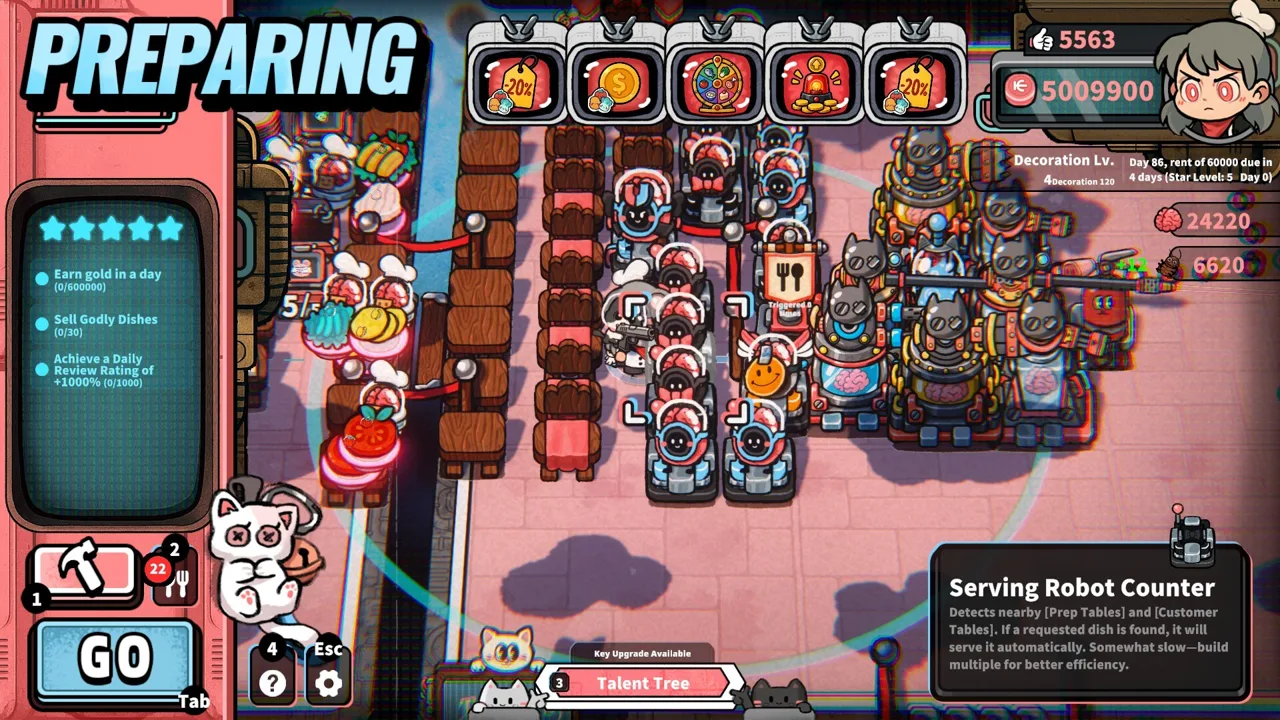
Your dining room can be covered in coins while your next rent payment still looks dangerously close. Life, the Universe, and Restaurants rent makes collecting money and controlling spending part of the kitchen rush. To stay ahead of Life, the Universe, and Restaurants rent, build a restaurant that can prepare orders, bank payments, and keep working when customers get difficult.
The full game launched on October 12, 2026, with complete progression from a 1-Star restaurant to a 5-Star establishment. Along the way, you unlock more recipes, structures, robots, ads, and talents. Those additions expand your business, but they also give you plenty of tempting purchases competing for your coin balance.
Read the Amount and Countdown Together
In the demo, an early rent notice asks for 100 coins, with a countdown showing how many days remain. A later notice asks for 430 coins in four days. Missing rent is presented as a route into debt.
Use those demo amounts as examples of the budgeting problem. Read the amount displayed in your own run before making purchases, then check the remaining days.
| Rent detail | What it means for your decisions |
|---|---|
| Current amount due | Keep enough coins available to cover that payment |
| Days remaining | Decide how much earning time remains before the deadline |
| Available coin balance | Check what you can spend after protecting the rent reserve |
| Money still on the floor | Collect and deposit it before counting it toward your budget |
For Life, the Universe, and Restaurants rent, separate money reserved for the bill from money available for improvements. Spend from the second portion. A new appliance is easier to justify when the upcoming payment already has coverage.
Bank Your Coins Before Closing
Serving a dish starts the payment process. Customers throw coins onto the ground, and you collect nearby coins onto your character. To obtain that money, carry it to the bank or vault.
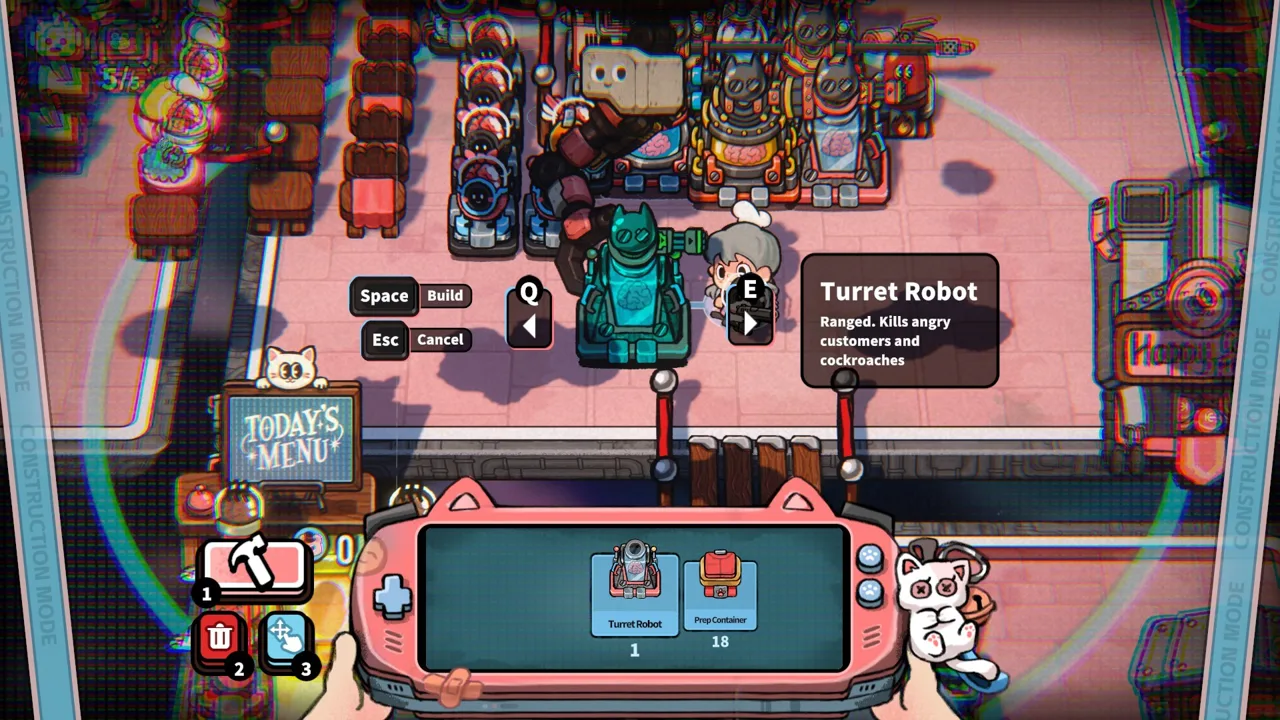 Image: Steam / GARRY
The demo also makes closing time matter: coins left on the floor when service ends are forfeited. Your character has a carrying limit, so a crowded dining room can require repeated collection trips.
That creates a straightforward priority for Life, the Universe, and Restaurants rent: make sure the money you earn actually reaches the bank.
Build a Short Collection Route
Place the bank near the tables where customers drop payments. Leave room to approach it without squeezing between appliances, chairs, and ingredient containers.
Keep preparation stations close enough for quick service, but preserve a clear route between seating and the bank. Rearrange equipment between services when your current layout forces repeated detours.
| Collection task | Layout or service tip |
|---|---|
| Pick up customer payments | Pass through coin piles during trips through the dining room |
| Deposit carried coins | Keep the bank accessible from your serving route |
| Collect near closing time | Check the floor as the service timer runs down |
| Cover restroom payments | Include the toilet area in your collection plan |
| Support transport robots | Keep their collection area and route to the bank unobstructed |
When ingredients run out, switch your attention to remaining payments instead of hovering beside an order you cannot complete. Use the remaining service time to deposit coins and deal with immediate threats.
Check Transport Robot Coverage
Transport Robot Stations collect coins within their visible collection area and deliver them to the bank. Position them around actual payment locations.
Include restroom payments when checking coverage. Toilets generate coins when customers use them, giving your restaurant another collection point.
Watch the floor during service. If money keeps accumulating outside a robot’s reach, reposition the station or furniture. If coins accumulate inside its area, inspect the route and consider movement-speed talents. Automation still needs room and time to work.
Increase Revenue Without Overloading the Kitchen
Higher dish prices help with Life, the Universe, and Restaurants rent, but your kitchen still has to finish those orders. Keep your advertising choices connected to ingredients, preparation capacity, and the dishes you can reliably serve.
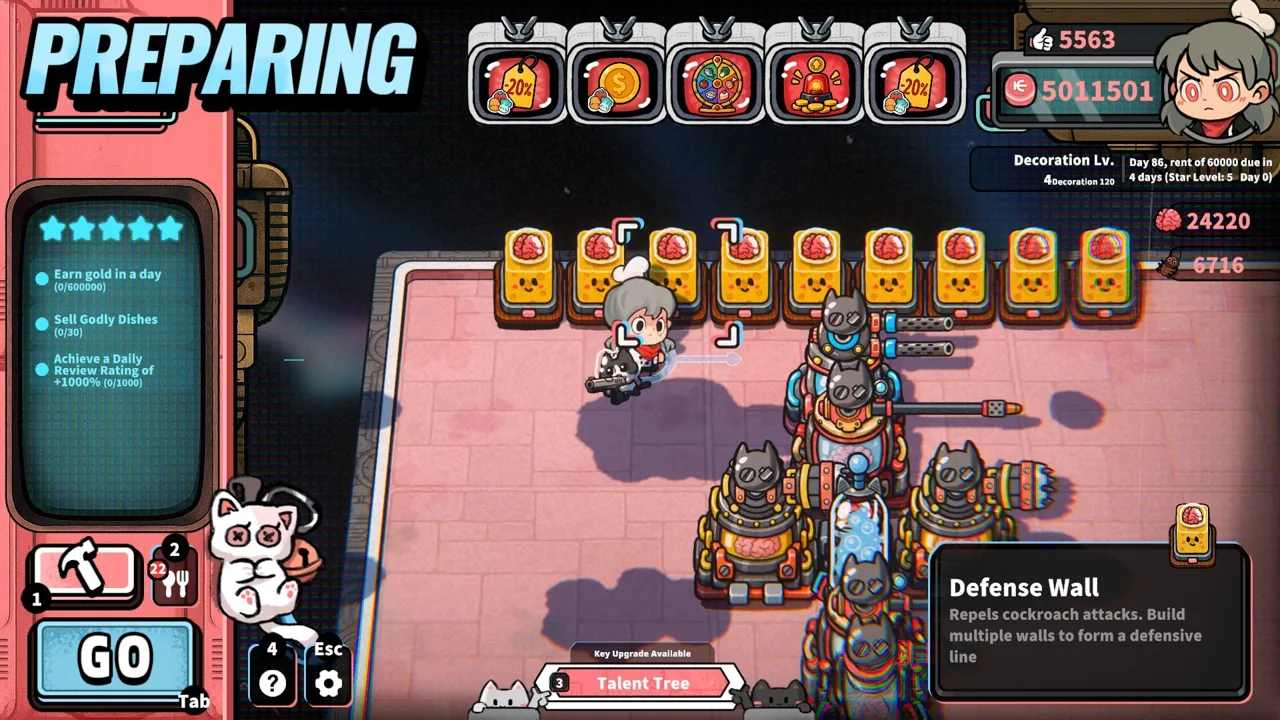 Image: Steam / GARRY
The game lets you shape business through ads, posters, TVs, and talents. Posters make customers more likely to order particular dishes, while ads can increase earnings from selected food.
Match Promotions to Production
In the demo, available advertising effects include an 80% increase to leafy salad’s selling price, one additional coin per dish, and 10 additional coins for veggie dishes. These are separate displayed options; read each effect before selecting it.
| Revenue tool | Supported effect | Action to take |
|---|---|---|
| Dish-specific ads | Increase earnings from a selected dish | Check its ingredient supply before promoting it |
| Broad price ads | Add income across eligible dishes | Match the effect to your current menu |
| Posters | Increase the likelihood of particular orders | Promote food your kitchen can keep producing |
| Dish talents | Improve the value of selected recipes | Invest in recipes you regularly serve |
| Toilets | Generate payments from customer use | Allow for collection and additional cleanup |
Do not let a price bonus distract you from shortages. A promoted salad still requires ingredients and a clean plate. Once its supply runs out, that promotion cannot produce more completed orders during the service.
Inspect what is slowing you down before buying more equipment. Add plate capacity when you repeatedly wait for dishes. Improve washing speed when dirty plates interrupt service. Leave more space around preparation stations when movement consumes time.
Add Customers After Adding Capacity
Flyers bring more customers into the restaurant. More arrivals also mean more orders, payments, and opportunities for delays.
Use customer-attraction options after checking your kitchen’s capacity. Keep an eye on ingredient supplies, available plates, and coin collection before adding further demand.
For Life, the Universe, and Restaurants rent, aim to increase the number of paid orders you can finish and bank. Filling every chair helps only when your restaurant can handle the work that follows.
Use Robots to Support Your Rent Budget
Robots can take orders, cook, serve dishes, transport coins, and clean up. Cooking automation works by recording a routine that a robot then repeats.
 Image: Steam / GARRY
These systems give you more ways to divide the workload. They also depend on a usable layout, available ingredients, and places to put completed food.
Record a Complete Cooking Routine
Start with the recipe you want the robot to handle. Record the required ingredient pickup, processing, plating, and placement actions. Watch its replay before relying on it during a busy service.
Keep the route compact. Put ingredient containers near the relevant cookware, then provide an accessible destination for the finished dish.
| Automation stage | What to check |
|---|---|
| Ingredient pickup | The required container is reachable |
| Processing | The robot can access the correct appliance |
| Plating | Plates are available along the routine |
| Finished-dish placement | A destination has room for the completed food |
| Multiple robots | Shared cookware can handle their combined workload |
Higher-tier recipes involve more preparation steps. The game supports arranging Cooking Robots in sequence, allowing multiple robots to contribute to a production line.
Avoid crowding several robots around one appliance without watching the result. In the demo, two sashimi routines share a grinder. That arrangement requires the robots to take turns, so additional robots do not automatically remove the shared processing limit.
Keep Storage Space Available
Cooking robots wait when there is no open destination for completed food. Clear finished dishes from prep tables and serve them promptly so production can continue.
For Life, the Universe, and Restaurants rent, choose automation that addresses your current workload. Use coin transport when payments pile up. Assign cooking routines when preparation pulls you away from serving and collection.
Save brains for the robots or talents you intend to purchase. Brains support robot development and upgrades, but the rent payment requires coins.
Balance Expansion, Brains, and Defense
Restaurant progression runs from 1 Star to 5 Stars through business objectives. Higher star ratings unlock additional plots, recipes, structures, robots, ads, talents, and management systems.
Expansion can give your kitchen much-needed space. It can also consume money you need for the next bill. Before buying a plot, identify the movement or production problem you want that space to solve.
In the demo, an additional area costs 1,200 coins. That is a substantial purchase beside the earlier 430-coin rent notice.
Preserve Your Earning Tables
Unruly customers have another role in this strange restaurant economy. Trash Bins, lighting, and other methods drain patience. Customers who lose patience become enraged, creating opportunities to harvest brains under the game’s self-defense rules.
Keep brain harvesting from swallowing your entire dining operation. Separate the tables intended for ordinary service from any area arranged to provoke customers.
Use the paying section to fund rent and purchases. Use harvested brains to develop automation and talents. Both resources support your restaurant, but each has a different job.
Leave Access for Pest Control
Space roaches interrupt service and threaten your restaurant’s operation. The game includes Turret Robots, Guards, and other defense facilities.
Leave paths that let you reach trouble spots. Avoid sealing ingredient containers behind tightly packed furniture, especially when a pest attack could demand immediate attention.
Before starting another service:
- Check the rent amount and remaining days.
- Protect the coins needed for the bill.
- Match promotions to available food.
- Keep serving and banking routes open.
- Check robot destinations and collection coverage.
- Preserve access around vulnerable kitchen areas.
Life, the Universe, and Restaurants rent becomes another manageable service task when purchases, production, and collection work together. Build each improvement around a specific problem, then watch whether it helps your restaurant finish orders and deposit their payments.
FAQ
How do you pay Life, the Universe, and Restaurants rent?
Earn coins through restaurant service, collect customer payments, and transport them to the bank or vault. Keep enough coins available for the displayed rent payment. In the demo, rent is handled at the payment prompt.
What happens if you miss rent?
The demo presents unpaid rent as a cause of debt. Check the countdown and preserve the required balance before spending on optional equipment or expansion.
Do coins on the floor count as available money?
You must transport collected coins to the bank or vault to obtain them. In the demo, coins left on the floor when service ends are forfeited, so collect payments before closing.
Can robots help you earn enough for rent?
Yes. Transport robots bank coins, while cooking and other service robots handle restaurant tasks. Keep their routes clear and provide room for finished dishes. The full game is available through the Life, the Universe, and Restaurants Steam page.
Continue with
 Life, the Universe, and Restaurants Coin Collection GuideMaster Life, the Universe, and Restaurants coin collection with vault routes, transport robots, ad strategies, and practical tips to grow daily income.
More in Economy
See all EconomyPopular pages
Life, the Universe, and Restaurants Release Date: Guide
Life, the Universe, and Restaurants release date is October 12, 2026. Explore Steam launch details, PC requirements, and tips for your cosmic kitchen.
Life, the Universe, and Restaurants FAQ: Starter Guide
This Life, the Universe, and Restaurants FAQ covers robots, brains, star upgrades, and PC requirements. Learn how to manage your kitchen and collect coins.
Life, the Universe, and Restaurants Automation Guide
Master Life, the Universe, and Restaurants automation with robot routines, smarter kitchen layouts, coin collection, and menu strategies. Build your crew.
Life, the Universe, and Restaurants Dish Skill Trees Guide
Explore Life, the Universe, and Restaurants dish skill trees, boost dish value, and plan menus, ads, and robot workflows for a more profitable kitchen.
Join the community
Official channels for news, updates and player help: