Life, the Universe, and Restaurants Tutorial: Start Here
Life, the Universe, and Restaurants tutorial: learn cooking, coin deposits, kitchen layouts, and robot automation to build toward a five-star restaurant.
Jump to
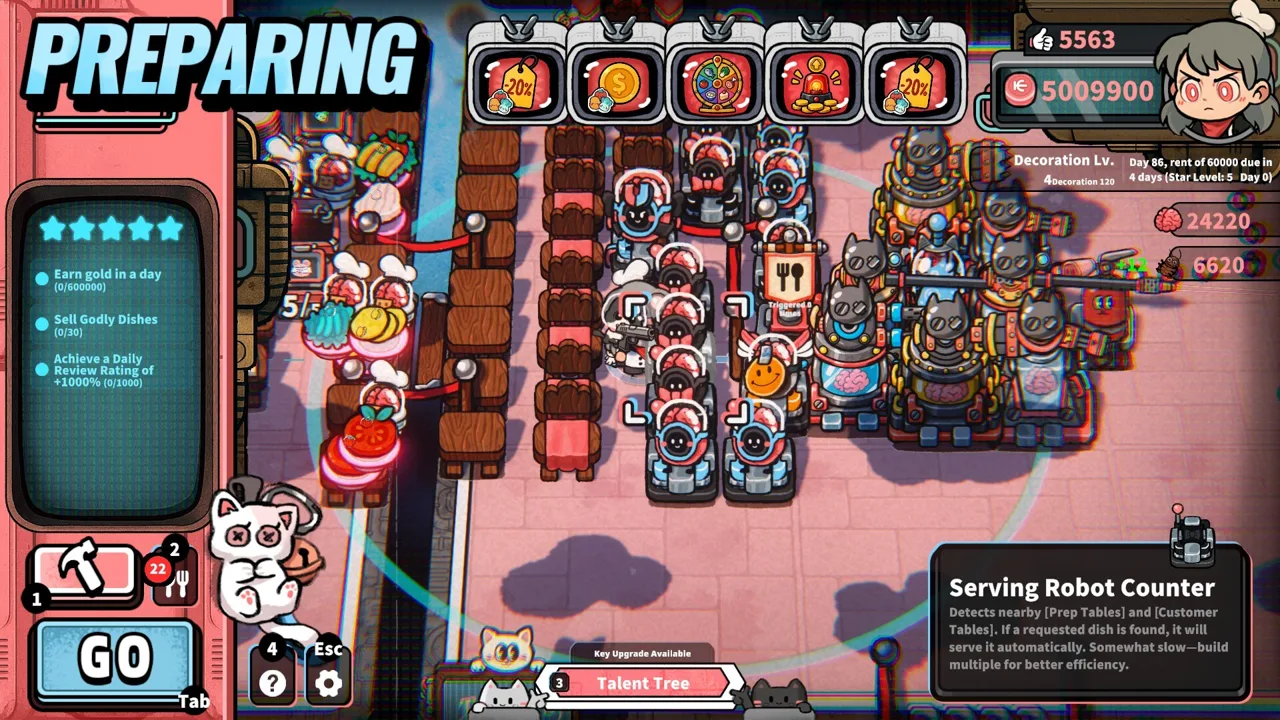
Start Service and Learn the Cooking Loop
Your customers call themselves gods, but they still expect lunch before their patience runs out. This Life, the Universe, and Restaurants tutorial helps you handle orders, bank your earnings, and build a kitchen that can keep up. Follow this Life, the Universe, and Restaurants tutorial from your opening service through robot automation, because every extra trip between stations takes time away from hungry customers.
Your long-term objective is to complete business goals and raise your restaurant from one star to five stars. Start by checking the task screen: it gives you concrete objectives to work toward while you learn the daily routine.
The opening cooking lesson introduces the customer portal, Customer Tables, and the Go button that starts service. Customers arrive through the portal and sit down at a table. Approach a seated customer to take their order, then prepare the requested dish.
Make Your Opening Leafy Salad
Leafy salad teaches the essential sequence: collect an ingredient, process it, plate it, and deliver it.
| Step | What to do | What you’re learning |
|---|---|---|
| Start service | Select Go | Open the restaurant to arriving customers |
| Take an order | Approach the seated customer | Identify the requested dish |
| Collect the ingredient | Pick up a Leafy Folk from its container | Find the correct ingredient supply |
| Prepare it | Place it on the cutting counter and slice it | Complete the processing step |
| Plate the salad | Pick up the sliced ingredient and plate it | Turn the prepared ingredient into a dish |
| Serve | Carry the plate to the customer who ordered it | Complete the order |
Finish that sequence deliberately before trying to juggle several tables. During regular service, use the order display to check which customer requested which dish.
Potato salad also appears among the opening recipes. Check its recipe instructions before preparing it rather than assuming every salad uses the same ingredient or process.
For the cooking portion of this Life, the Universe, and Restaurants tutorial, focus on consistent execution. Take the order, check the recipe, finish the dish, and deliver it to the correct table. Once those actions feel familiar, look for ways to shorten the route.
Deposit Coins and Protect Your Rent Money
Serving a meal creates another job: collecting payment. Customers throw Coins onto the floor, and nearby Coins automatically collect onto your back. You must carry them to the vault to obtain them.
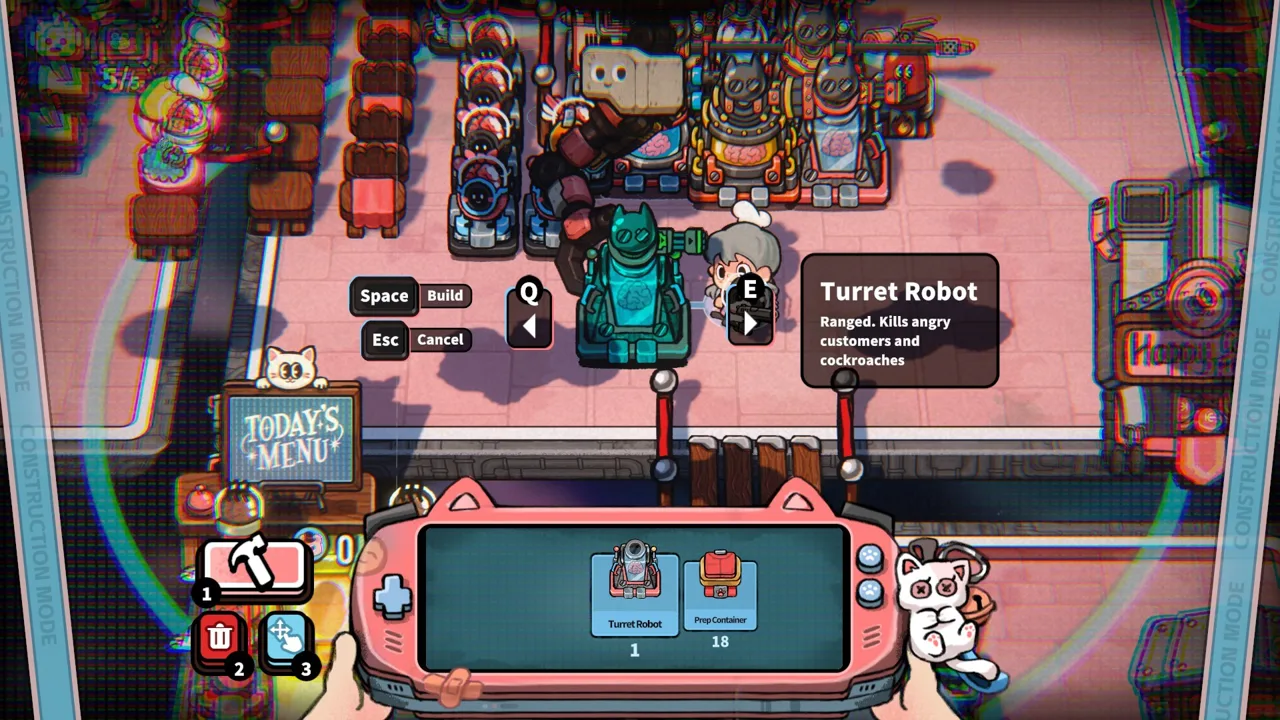 Image: Steam / GARRY
Picking up payment and banking it are separate actions. Build vault trips into your service routine so you can keep track of the money available for purchases.
The early-development tutorial introduces a rental agreement with an income calculation every five days. Its opening rent reminder shows 100 Coins due in four days. Use the amount and countdown displayed in your own game when planning purchases.
That countdown makes spending decisions matter immediately. A new structure can help your restaurant, but the rent reminder still needs attention.
| Resource or obligation | How it works | What to do with that information |
|---|---|---|
| Coins on the floor | Customers drop payment after being served | Collect them while moving through the dining area |
| Carried Coins | Picked-up Coins accumulate on your back | Transport them to the vault |
| Banked Coins | Deposited earnings become obtained Coins | Check your balance before shopping |
| Likes | Customers sometimes give Likes after dining | Track them against the current business objectives |
| Rent | The tutorial introduces recurring payments | Reserve the displayed amount before optional purchases |
| Brains | Enraged customers provide this resource through combat | Use them for talents and brain-based robots |
Check the daily results screen before moving on. The opening service example ends with 80 Coins and eight Likes; those figures illustrate a service result, rather than a guaranteed daily payout.
Use the money-management part of this Life, the Universe, and Restaurants tutorial to establish a habit: deposit, check rent, then shop.
Shop prices also increase as you buy more. Check each current price before purchasing several structures, and connect each purchase to a specific objective or kitchen problem. If chopping is taking too long, inspect your preparation setup before spending money on additional seating.
Arrange Your Kitchen Around the Work
The opening construction sequence includes a prep table, cutting counters, and containers for Leafy Folk and Potato Folk. Place the required structures before starting your next service.
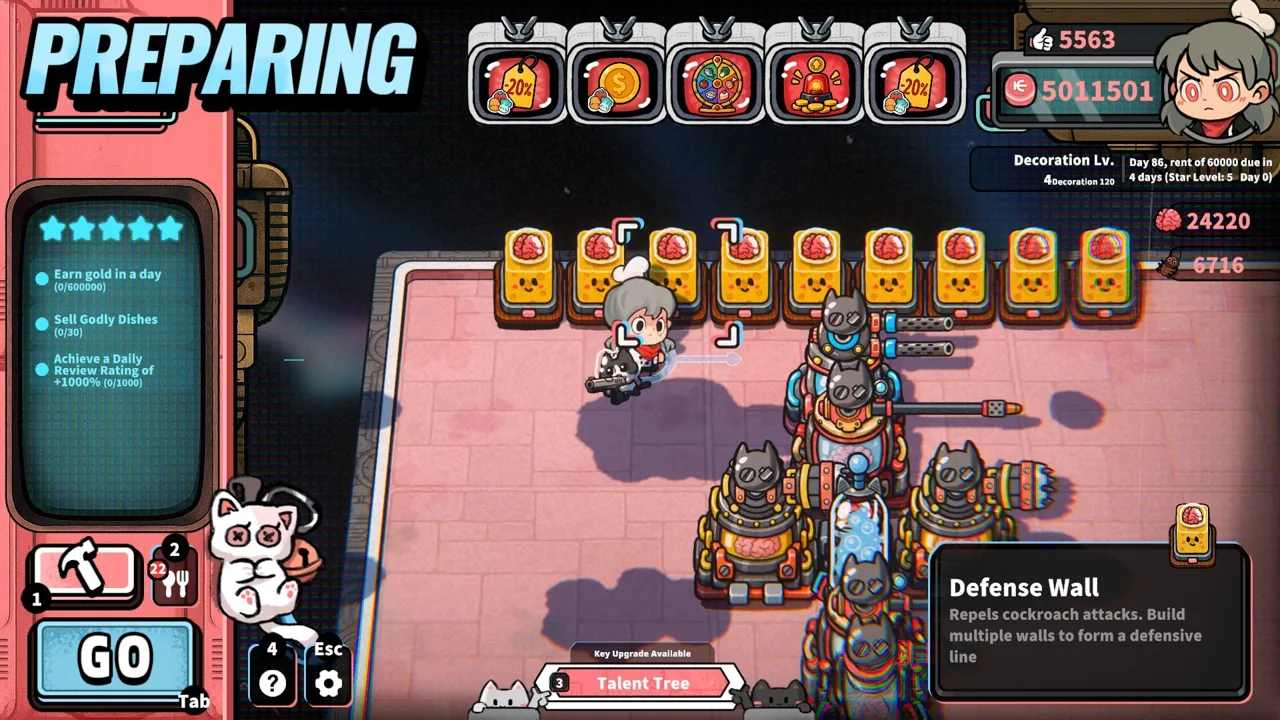 Image: Steam / GARRY
Arrange them around the order of your actions. You collect ingredients, process them, plate the food, and carry it to a customer. Keep consecutive steps close together while leaving a clear route through the kitchen.
Use the layout section of this Life, the Universe, and Restaurants tutorial to inspect actual travel. Follow the route for one leafy salad and notice where you cross the room unnecessarily.
| Area | Role in the restaurant | Placement advice |
|---|---|---|
| Ingredient containers | Supply ingredients for recipes | Place them near the counters used to process those ingredients |
| Cutting counters | Handle slicing during preparation | Keep the route from ingredients to plating short |
| Prep table | Part of the opening kitchen setup | Leave convenient access from nearby preparation stations |
| Customer Tables | Seat customers during service | Keep delivery routes accessible |
| Vault | Receives collected Coins | Include it in a convenient collection route |
| Trash Bins | Nearby bins reduce customer patience | Place them deliberately when pursuing the relevant objective or strategy |
Avoid spreading essential stations across your entire available space simply because you can. Keep the opening kitchen compact enough to manage by hand, then expand when the next objective or production need calls for it.
Before adding more Customer Tables, check how comfortably you can serve the existing ones. Additional seating creates more opportunities for orders; keep preparation and delivery capacity in mind as you expand.
Understand the Trash Bin Objective
Trash Bins have an unusual purpose here. More bins near a Customer Table lower customer patience, and an early objective asks you to build three around one table.
Check your structure inventory first. If you lack the required bins, work toward purchasing them through the shop.
Keep this placement intentional. A patience-reducing setup connects to the game’s enraged-customer mechanics, so understand defense before making it a larger part of your restaurant.
Use Robots to Take Over Repeated Tasks
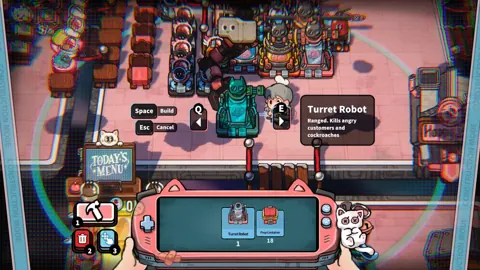
Robots can take orders, cook, serve dishes, transport Coins, and clean up. Cooking automation works by recording a routine that robots then repeat.
 Image: Steam / GARRY
Start with a task whose sequence you already understand. Practice the actions manually, arrange the necessary stations, and then record the routine. Watch the resulting work before handing the robot additional responsibility.
The automation section of this Life, the Universe, and Restaurants tutorial centers on one principle: make the manual process clear before recording it.
| Robot task | Work it can handle | What to inspect during operation |
|---|---|---|
| Taking orders | Order collection from customers | Whether orders are being taken as customers arrive |
| Cooking | Repeating a recorded cooking routine | Whether preparation produces the intended dish |
| Serving | Delivering prepared dishes | Whether food reaches waiting customers |
| Coin transport | Moving customer payments | Whether Coins are reaching the vault |
| Cleaning | Cleanup work | Whether cleanup is keeping pace with service |
Choose automation based on the work pulling you away from cooking. If vault trips repeatedly interrupt preparation, consider Coin transport. If dishes are ready while customers wait, look at serving.
After assigning a task, watch a complete cycle. Check the result rather than assuming a recording is useful just because it finished.
Higher-tier recipes introduce more preparation steps, and multiple Cooking Robots can work together in sequence. Break those recipes into clear stages when organizing your production line. Position the relevant stations so each stage leads conveniently into the next.
As automation grows, inspect the whole restaurant. A kitchen can prepare food while delivery or order collection still demands your attention. Address the remaining delay before expanding the same automated task again.
Work Toward Five Stars and Prepare for Angry Customers
Your Star Rating advances through business objectives. Moving from one star toward five stars opens access to more plots, recipes, structures, robots, ads, talents, and management systems.
Keep the current objectives visible when deciding what to do next. Earning money supports progression, but the task screen also directs you toward specific requirements, such as collecting Likes or constructing particular structures.
Use this Life, the Universe, and Restaurants tutorial as a progression checklist:
- Review the current business objectives.
- Check your Coin balance and rent countdown.
- Purchase structures that support an objective or solve a service problem.
- Expand production capacity alongside seating.
- Add automation where repeated work consumes your attention.
- Revisit the layout as new recipes add preparation steps.
Match Advertising to Your Kitchen
Advertising lets you influence demand. Posters make customers more likely to order particular dishes, while TVs steer customers toward a selected menu. Different ads can also increase profits from specific dishes.
Promote dishes your kitchen can prepare efficiently. Before emphasizing a more complex recipe, check that its ingredients, preparation stations, and robot sequence are ready.
You can build a business strategy around dish prices, order rates, serving speed, and automation efficiency. Specializing in Veggie Dishes or Meat Dishes is also part of the management system.
Choose promotions that fit your current production setup, then watch how service performs. Keep refining the connection between what customers order and what your kitchen can deliver.
Handle Enraged Customers
Customer patience has consequences beyond lost goodwill. Trash Bins, lighting, and other methods can drain patience until customers become enraged. Impatient guests can attack restaurant facilities.
The game’s self-defense system allows you to kill unruly customers and harvest their Brains. That resource supports talent upgrades and more powerful brain-based robots. Turret Robots, Guards, and other Defense Facilities can help protect the restaurant.
Prepare your defenses before deliberately building a strategy around angry customers. Learn the cooking and payment loop, establish dependable production, and then work toward the relevant combat and talent objectives.
For the Windows version, you can get Life, the Universe, and Restaurants on Steam.
FAQ
What should I focus on in the Life, the Universe, and Restaurants tutorial?
Complete the cooking and Coin collection lessons, then place the required kitchen structures. Learn to take an order, prepare the requested recipe, serve it, and deposit payment in the vault.
Why haven’t I obtained the Coins I picked up?
Nearby Coins automatically collect onto your back, but carrying them is only part of the process. Transport them to the vault to obtain them.
How do robots automate cooking?
Record a cooking routine, and Cooking Robots repeat it. More complex recipes can use multiple robots working in sequence. Robots also handle orders, serving, Coin transport, and cleaning.
Why do Trash Bins make customers angry?
Trash Bins near Customer Tables reduce patience. When patience runs out, customers become enraged. Place bins deliberately, and prepare for the game’s defense mechanics before using anger to pursue Brains.
Continue with
 Life, the Universe, and Restaurants FAQ: Starter GuideThis Life, the Universe, and Restaurants FAQ covers robots, brains, star upgrades, and PC requirements. Learn how to manage your kitchen and collect coins.
More in Guide
See all GuidePopular pages
Life, the Universe, and Restaurants Release Date: Guide
Life, the Universe, and Restaurants release date is October 12, 2026. Explore Steam launch details, PC requirements, and tips for your cosmic kitchen.
Life, the Universe, and Restaurants Automation Guide
Master Life, the Universe, and Restaurants automation with robot routines, smarter kitchen layouts, coin collection, and menu strategies. Build your crew.
Life, the Universe, and Restaurants Coin Collection Guide
Master Life, the Universe, and Restaurants coin collection with vault routes, transport robots, ad strategies, and practical tips to grow daily income.
Life, the Universe, and Restaurants Demo: Play Guide
Life, the Universe, and Restaurants demo guide: explore kitchen automation, early upgrades, and current Steam options after the October 12, 2026 PC launch.
Join the community
Official channels for news, updates and player help: