Life, the Universe, and Restaurants Guide: Beginner Tips
Use this Life, the Universe, and Restaurants guide to master cooking, train robots, manage Coins, and build toward a five-star restaurant. Start smarter.
Jump to
Learn the Cooking Loop Before Expanding
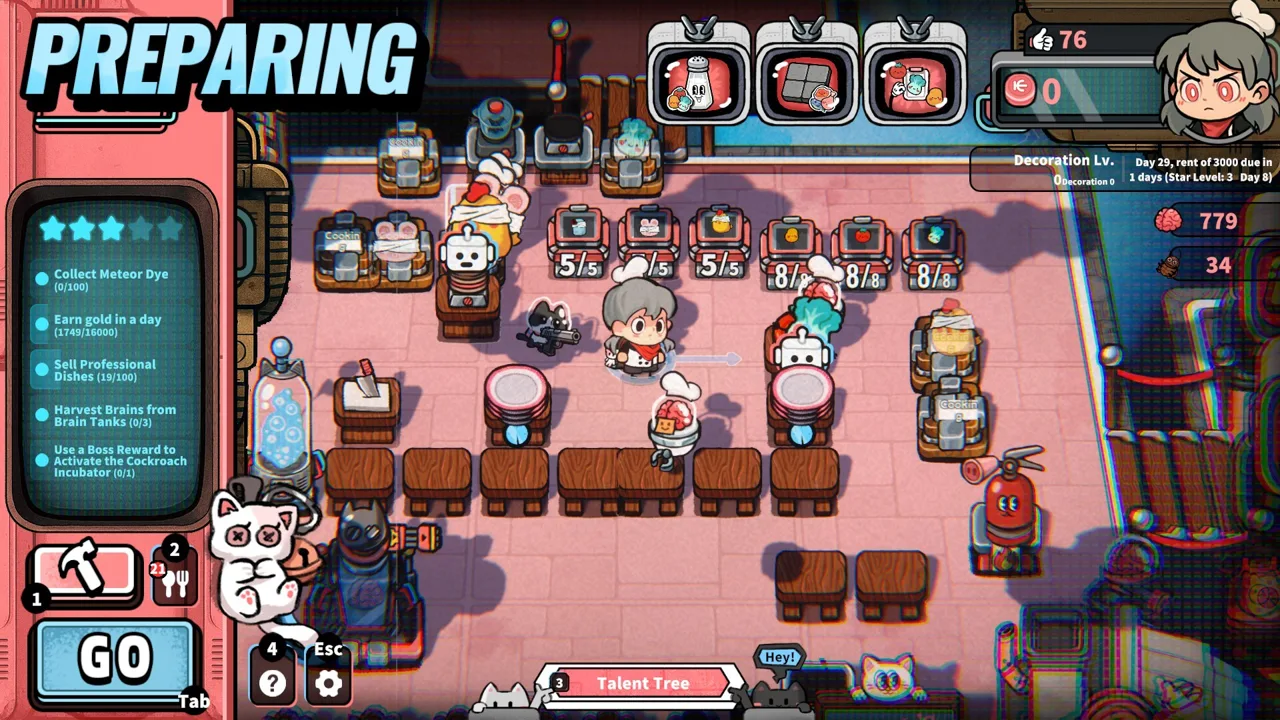
Your customers call themselves gods, and dinner service can end with them attacking your restaurant. This Life, the Universe, and Restaurants guide helps you connect cooking, robot automation, and defense so your business can keep moving toward five stars. Use this Life, the Universe, and Restaurants guide to plan upgrades around the work piling up in your kitchen.
You begin by handling restaurant service yourself: taking orders, gathering ingredients, preparing food, plating dishes, and carrying meals to Customer Tables. Later, robots can take over those responsibilities. Learn the complete routine manually before recording it for an automated worker.
Practice a Complete Dish
The early-development tutorial introduces a simple leafy salad. Its preparation sequence gives you a manageable way to learn how ingredients move through the kitchen.
| Step | Leafy Salad Tutorial Action | What to Practice |
|---|---|---|
| Take the order | Approach a seated customer and collect their order | Identify the requested dish before gathering ingredients |
| Collect the ingredient | Pick up a leafy folk from its container | Locate the correct ingredient supply |
| Prepare the food | Place the ingredient on the cutting counter and slice it | Complete preparation before moving to plating |
| Plate the dish | Put the sliced ingredient on a plate | Keep the plating location within easy reach |
| Serve the customer | Carry the meal to the customer who ordered it | Match the finished dish to the correct table |
Keep ingredient containers, preparation equipment, and plating locations close enough to limit repeated trips. Leave access to the Customer Tables so serving does not become a long detour.
Watch an order from beginning to end. If you spend more time walking than preparing food, adjust the layout before adding more equipment. If finished dishes sit waiting while you take orders elsewhere, focus on serving capacity.
Finish the Coin Collection Job
In the early-development tutorial, customers toss Coins onto the floor after dining. Moving close collects them onto your back, but you must carry them to the vault to obtain them.
Include vault trips in your service routine. Collecting payment and depositing it are separate jobs, so check both before deciding how much you can spend.
That tutorial also introduces recurring rent, with a 100-Coin payment approaching after you open. Keep enough Coins for the payment shown in your game before spending on optional purchases. Build your budget around the current obligation rather than assuming every Coin is available for expansion.
Train Robots Around Clear, Repeatable Tasks
Robot automation is central to this Life, the Universe, and Restaurants guide because it changes how you manage the restaurant. You record a cooking routine, and Cooking Robots repeat it. Other robot roles cover order taking, serving, Coin transportation, and cleanup.
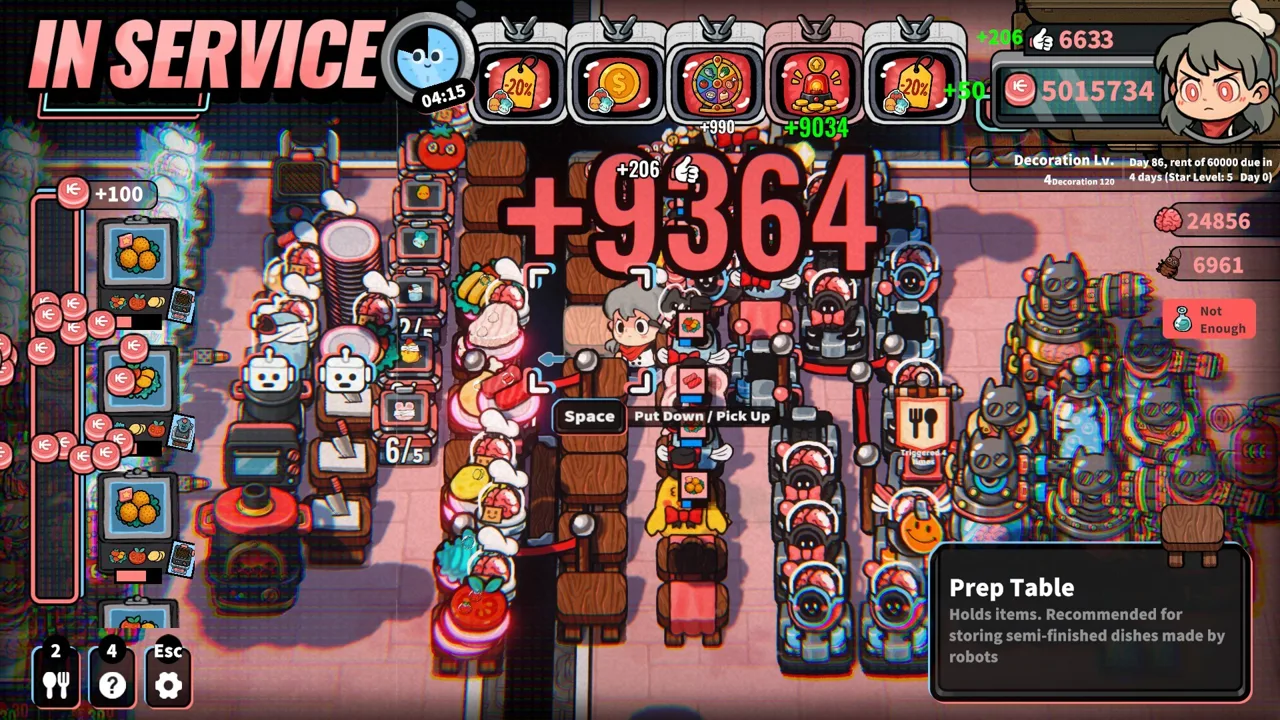 Image: Steam / GARRY
Start by making the manual routine orderly. Recording a winding route gives a robot a winding route to repeat.
| Robot Responsibility | Work It Can Handle | Setup Tip |
|---|---|---|
| Taking orders | Collecting customer orders | Keep access to Customer Tables clear |
| Cooking | Repeating recorded preparation routines | Practice the sequence before recording |
| Serving | Delivering finished dishes | Keep the route between production and dining compact |
| Coin transportation | Moving restaurant payments | Include payment handling in your automation plan |
| Cleanup | Handling cleaning work | Watch whether cleanup falls behind during service |
Record the Routine You Want Repeated
Put this Life, the Universe, and Restaurants guide into practice: choose a straightforward recipe and practice its steps before recording. Gather the correct ingredient, use the required cookware, finish preparation, and plate the result without unnecessary wandering.
Then watch the robot repeat the routine. Check the whole sequence rather than stopping after the opening action works. A useful recording needs to reach the finished dish.
Use this checklist while setting up cooking automation:
- Position the required ingredient container near its preparation equipment.
- Follow the recipe’s actual preparation sequence.
- Remove unnecessary travel from your demonstration.
- Watch the finished routine before relying on it during busy service.
- Inspect the workflow again after rearranging the kitchen.
Keep your attention on the task the robot is performing. If you still spend service carrying meals or collecting payments, automating another cooking routine leaves those jobs untouched.
Split Complex Recipes Across Cooking Robots
Higher-tier Recipes involve more preparation steps, and multiple Cooking Robots can work together in sequence. Use that mechanic to divide a complex dish into manageable stages.
Arrange the equipment in preparation order, then observe where one robot’s work feeds into the next stage. Focus on the handoff whenever part of the line waits for another part.
For example, if ingredients reach preparation steadily but finished meals accumulate before delivery, inspect serving. If cooking equipment waits for prepared ingredients, inspect the earlier stage. Add staff where work is backing up, then watch another service to see whether the problem moved elsewhere.
Use Star Objectives to Direct Your Spending
Your progression goal is to complete business objectives and raise the restaurant from 1 Star to 5 Stars. Increasing the Star Rating unlocks more purchasable plots, Recipes, structures, robots, ads, talents, and management systems.
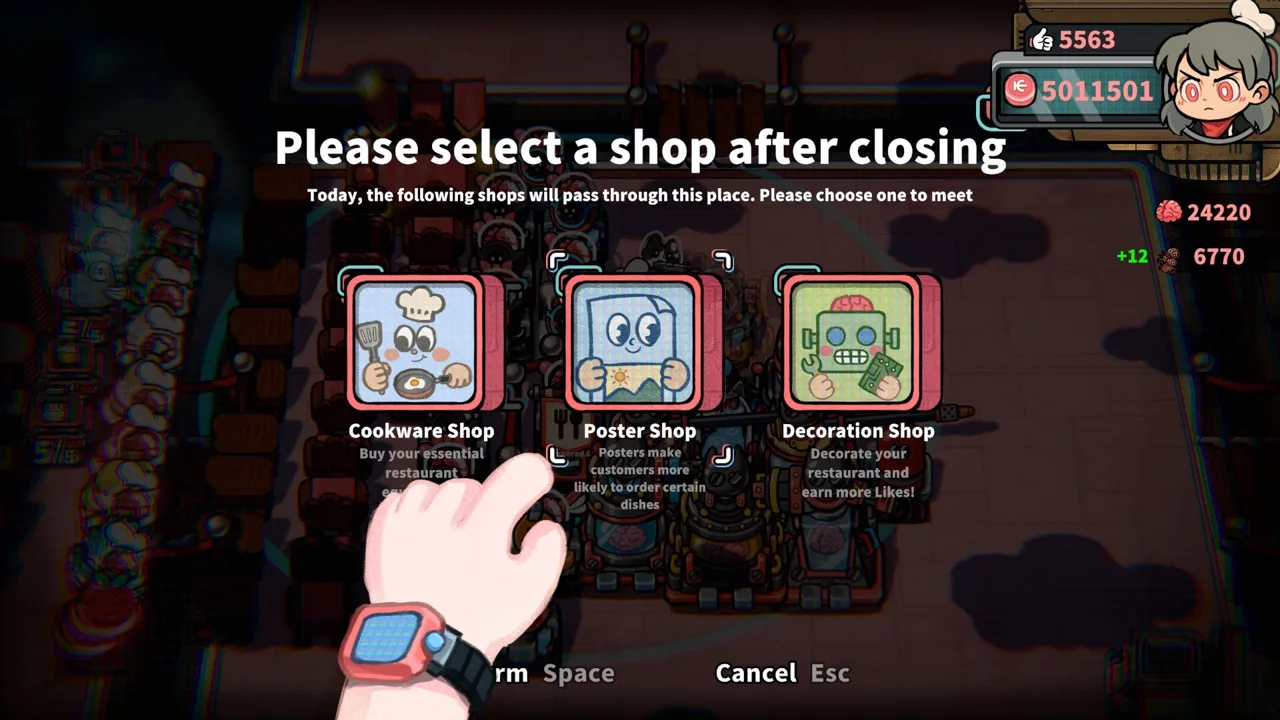 Image: Steam / GARRY
Keep the current objectives at the center of your decisions. This Life, the Universe, and Restaurants guide uses them as the link between earning Coins and building a restaurant that can handle its next stage.
| Purchase or Upgrade | What It Adds | Planning Question |
|---|---|---|
| Recipes | Additional dishes, including more complex preparation | Can your kitchen handle the required steps? |
| Cookware | Equipment for food preparation | Which recipe or objective needs it? |
| Plots | Space to expand the restaurant | What will you place in the new area? |
| Customer Tables | More seating | Can production and serving support more diners? |
| Production facilities | Additional preparation capacity | Which stage needs more output? |
| Robot staff | Automation for restaurant work | Which task is keeping you busiest? |
Expand With a Layout in Mind
Before buying a plot, decide what you need the space to accomplish. Sketch out the ingredient area, cookware positions, plating location, and serving route in your head.
Keep stations that handle consecutive steps near each other. Place new production facilities where they shorten or support the existing workflow. Use additional space to untangle awkward routes rather than spreading every station farther apart.
Follow the current Star Upgrade objectives when choosing between competing purchases. If an objective requires a particular improvement, account for that expense before committing Coins elsewhere.
Support New Tables With Production
More Customer Tables mean more seating to serve. Check whether your kitchen can prepare and deliver meals at the pace the expanded dining area requires.
Watch orders during service. Identify whether the delay happens while taking orders, preparing ingredients, cooking, plating, or delivering meals. Improve the affected stage before continuing to enlarge the dining room.
Reassess the kitchen when you introduce higher-tier Recipes. Their additional preparation steps create more work for the production line, so inspect robot assignments and equipment placement alongside your recipe unlocks.
Match Advertising to Your Kitchen’s Capacity
Advertising lets you influence what customers order. Posters make particular dishes more likely to be chosen, while TVs steer customers toward a selected menu.
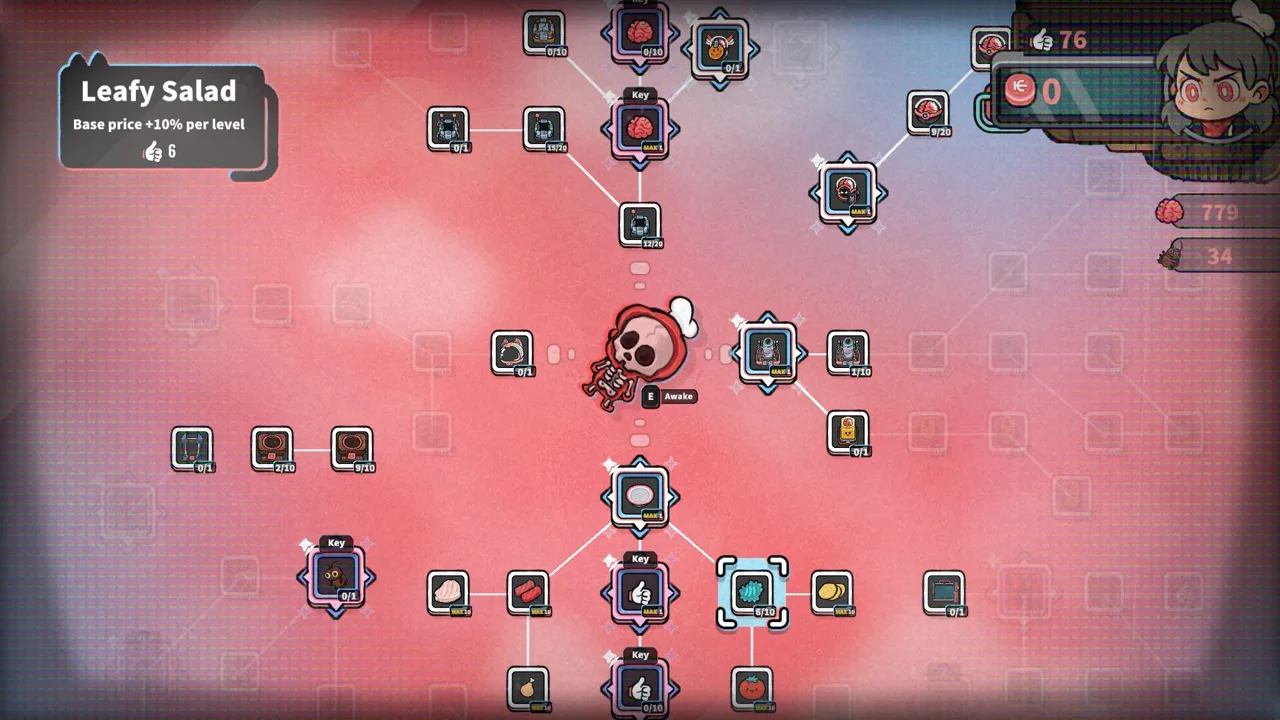 Image: Steam / GARRY
Dish prices, order rates, serving speed, and automation efficiency all contribute to your business strategy. This Life, the Universe, and Restaurants guide connects those systems by asking you to match promoted dishes with the production you have built.
| Management System | Supported Effect | Practical Tip |
|---|---|---|
| Posters | Increase the likelihood of orders for particular dishes | Promote a dish whose preparation line you can support |
| TVs | Direct customers toward a selected menu | Match the featured menu to your equipment and staff |
| Dish skill trees | Increase dish value | Connect dish improvements with your advertising choices |
| Business builds | Combine pricing, ordering, serving, and automation choices | Review the complete service cycle when changing strategy |
Build Around a Dish You Can Deliver
Choose a featured dish by looking at its entire preparation chain. Check ingredient access, cookware, robot routines, plating, and delivery.
Promote it after those stages work together. Increasing demand for a dish also increases the amount of preparation and serving associated with it.
The game supports strategies built around repeated promotion, menu rotation, Veggie Dishes, and Meat Dishes. Choose your direction around the recipes and facilities you are using, then align advertising and dish upgrades with that choice.
Avoid spreading upgrades across dishes without a plan. Pick the dish or menu you want customers to order and examine which improvements support it.
Review Earnings Alongside Service
Pricing strategies can interact with queue length, your Coin balance, and special events. Keep those systems connected to what happens on the restaurant floor.
When earnings disappoint, inspect more than the price of a meal. Watch how many orders reach preparation, how quickly meals leave the kitchen, and whether payment transportation keeps up.
Change one part of the workflow, then observe another service. Use the result to decide whether to adjust advertising, staffing, or equipment placement next.
Handle Angry Customers and Brain Progression
Restaurant management takes a darker turn when customers lose patience. Trash Bins, lighting, and other methods can drain patience until customers become enraged. Impatient guests can attack restaurant facilities.
Under the Cosmic Regulatory Bureau’s self-defense rules, enraged customers can be killed and their valuable Brains harvested. Brains support talent upgrades and more powerful brain-based robots. Turret Robots, Guards, and other Defense Facilities help protect the restaurant.
This Life, the Universe, and Restaurants guide treats defense as part of your management plan because customer anger connects directly to another progression resource.
Check Defense Before Encouraging Rage
Inspect your available defensive options before deliberately using patience-draining features. Decide how you will respond to an enraged customer while cooking and service continue demanding attention.
Avoid adding Trash Bins around dining tables purely as decoration. Their patience effect makes placement a business decision.
When defense becomes part of your strategy, watch how confrontations affect the rest of service. Check orders, cooking routines, and payment handling afterward so combat does not distract you from an unfinished restaurant task.
Spend Brains With a Specific Goal
Review available talents and brain-based robots before spending Brains. Choose an upgrade that supports the work you need the restaurant to perform.
Connect each purchase to a clear purpose: improving a management build, strengthening automation, or supporting your response to unruly customers. Then inspect how it fits with your current Star Upgrade objectives.
Keep developing both sides of the restaurant. Coins support purchases and expansion, while Brains support talents and advanced robots. Plan around those separate uses as your kitchen grows toward five stars.
FAQ
What should I prioritize in a Life, the Universe, and Restaurants guide?
Learn the full cooking and payment loop, then use the current business objectives to direct upgrades. Practice a repeatable recipe, shorten unnecessary travel, and automate the task that keeps interrupting service.
How do Cooking Robots learn recipes?
You record a cooking routine for them to repeat. Higher-tier Recipes have more complex preparation steps, and multiple Cooking Robots can work together in sequence. Practice the routine manually before recording it.
How do you upgrade the restaurant to five stars?
Complete the business objectives at each stage to increase the restaurant’s Star Rating. Higher ratings unlock additional purchasable plots, Recipes, structures, robots, advertising options, talents, and management systems.
What are Brains used for?
Brains harvested from enraged customers are used to upgrade talents and unlock more powerful brain-based robots. Turret Robots, Guards, and other Defense Facilities help protect the restaurant while you manage unruly guests.
Continue with
 Life, the Universe, and Restaurants Tutorial: Start HereLife, the Universe, and Restaurants tutorial: learn cooking, coin deposits, kitchen layouts, and robot automation to build toward a five-star restaurant.
More in Guide
See all Guide
Popular pages
Life, the Universe, and Restaurants Release Date: Guide
Life, the Universe, and Restaurants release date is October 12, 2026. Explore Steam launch details, PC requirements, and tips for your cosmic kitchen.
Life, the Universe, and Restaurants Automation Guide
Master Life, the Universe, and Restaurants automation with robot routines, smarter kitchen layouts, coin collection, and menu strategies. Build your crew.
Life, the Universe, and Restaurants Coin Collection Guide
Master Life, the Universe, and Restaurants coin collection with vault routes, transport robots, ad strategies, and practical tips to grow daily income.
Life, the Universe, and Restaurants Demo: Play Guide
Life, the Universe, and Restaurants demo guide: explore kitchen automation, early upgrades, and current Steam options after the October 12, 2026 PC launch.
Join the community
Official channels for news, updates and player help: